
YouTube Playback Speed Calculator
Paste a YouTube URL or enter the duration manually to calculate video time at speeds from 0.25x to 2x.
Adjusted Duration:
This tool just saved you time!
This tool is completely free — a small coffee helps keep it running for everyone 🙏
No subscriptions. No paywalls. Just coffee if you feel like it.
The YouTube playback speed calculator shows how long a video will take after you change its playback rate. Paste a public YouTube URL or enter the original duration manually, choose a speed from 0.25x to 2x, and view the adjusted time instantly.
The calculation uses a simple formula: adjusted duration = original duration divided by playback speed. A 60-minute video takes 40 minutes at 1.5x, 30 minutes at 2x and 80 minutes at 0.75x.
What the YouTube Playback Speed Calculator Does
This tool estimates viewing time before you start watching. It does not play the video or change the speed inside YouTube. It only calculates the time required at the speed you select.
You can provide the original duration in two ways:
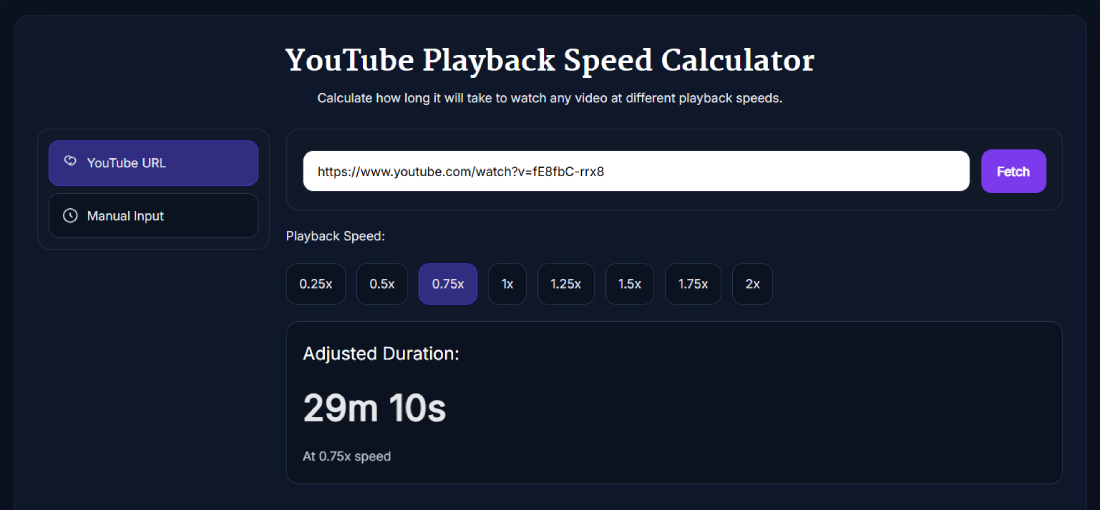
- YouTube URL: Paste a standard YouTube watch link or youtu.be link and click Fetch to retrieve the available video duration.
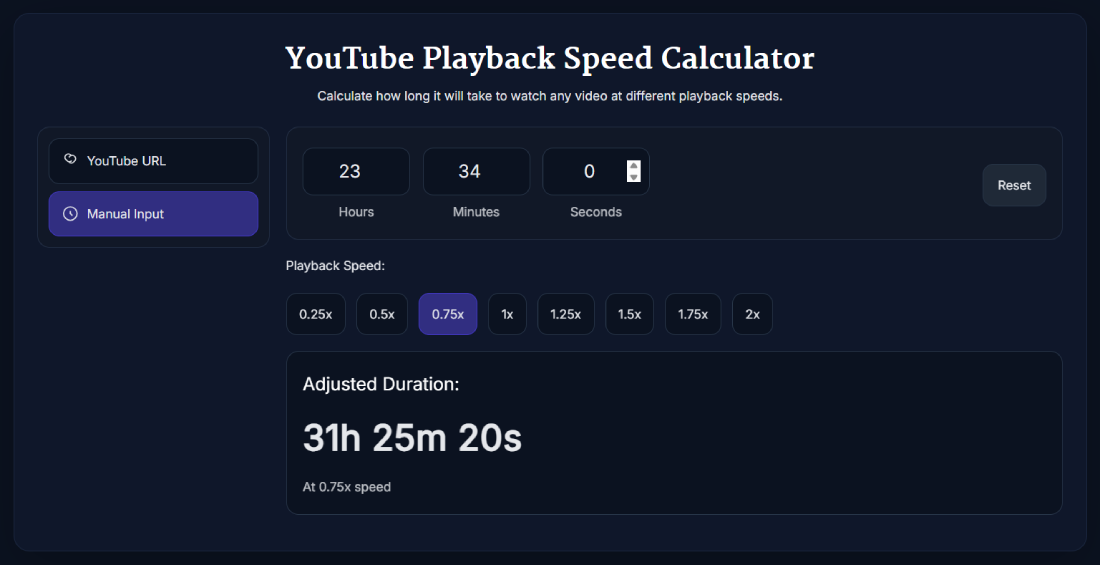
- Manual Input: Enter hours, minutes and seconds yourself. This mode also works for podcasts, courses, audiobooks and other timed media.
Available speed buttons are 0.25x, 0.5x, 0.75x, 1x, 1.25x, 1.5x, 1.75x and 2x. Selecting another speed updates the adjusted duration immediately.
Common Playback Speed Calculations
For a video with an original duration of one hour, the YouTube playback speed calculator gives these results:
- 0.25x: 4 hours
- 0.5x: 2 hours
- 0.75x: 1 hour 20 minutes
- 1x: 1 hour
- 1.25x: 48 minutes
- 1.5x: 40 minutes
- 1.75x: About 34 minutes 17 seconds
- 2x: 30 minutes
Speeds above 1x shorten the viewing time. Speeds below 1x make the video take longer because the content is playing more slowly.
How to Calculate YouTube Watch Time at a Different Speed
- Select YouTube URL when you have a public video link, or select Manual Input when you already know the duration.
- Paste the YouTube link and click Fetch, or enter the hours, minutes and seconds.
- Choose 0.25x, 0.5x, 0.75x, 1x, 1.25x, 1.5x, 1.75x or 2x.
- Read the adjusted duration shown below the speed buttons.
- Use Reset in manual mode when you want to start another calculation.
How the Playback Speed Formula Works
First, convert the original duration into seconds. Divide that number by the selected speed, then convert the answer back into hours, minutes and seconds.
For example, a 40-minute video contains 2,400 seconds:
- At 0.75x: 2,400 divided by 0.75 = 3,200 seconds, or 53 minutes 20 seconds.
- At 1.25x: 2,400 divided by 1.25 = 1,920 seconds, or 32 minutes.
- At 1.5x: 2,400 divided by 1.5 = 1,600 seconds, or 26 minutes 40 seconds.
- At 2x: 2,400 divided by 2 = 1,200 seconds, or 20 minutes.
The YouTube playback speed calculator performs this conversion automatically and displays the result to the nearest second.
When This Calculator Is Useful
- Lectures and courses: Check whether a video fits into a study session.
- Podcasts and interviews: Estimate listening time at a faster rate.
- Detailed tutorials: See how much longer a lesson takes when slowed down.
- Daily planning: Work out whether you can finish a video before a meeting, commute or break ends.
- Non-YouTube media: Use manual mode for any known audio or video duration.
Need the combined duration of several videos? Use the YouTube playlist length calculator. You can also browse the SanishTech YouTube tools collection for other video utilities.
Important Limits to Know
- URL mode depends on the tool being able to retrieve details for the supplied public YouTube video.
- If fetching fails, you can still enter the duration manually.
- The calculator estimates elapsed viewing time and does not change playback settings on YouTube.
- It does not calculate playlist totals, time saved, audience retention, YouTube Analytics or YouTube Partner Program watch hours.
- Small differences can occur when a platform displays or rounds a video's duration differently.
Use the playback speed calculator for planning your own viewing session. For creator metrics and channel performance, rely on the reports available inside YouTube Studio.
FAQ
What does the YouTube playback speed calculator calculate?
It calculates how long a video will take to finish at the selected playback speed. The result is based on the original duration divided by the speed multiplier.
Which playback speeds can I select?
You can select 0.25x, 0.5x, 0.75x, 1x, 1.25x, 1.5x, 1.75x or 2x.
Can the tool get the duration from a YouTube link?
Yes. Paste a public YouTube watch URL or youtu.be link into URL mode and click Fetch. If the video details cannot be retrieved, use Manual Input.
Can I enter the video duration manually?
Yes. Manual Input lets you enter hours, minutes and seconds without using a YouTube URL.
Can I use the calculator for podcasts or non-YouTube videos?
Yes. Enter the known duration manually and select a playback speed. The same calculation works for podcasts, audiobooks, courses and other timed media.
What should I do if the Fetch button fails?
Check that the URL is a valid public YouTube video link. If fetching still fails, switch to Manual Input and enter the video's duration yourself.
What formula does a playback speed calculator use?
The formula is adjusted duration equals original duration divided by playback speed. The calculation is usually performed in seconds before the result is converted back into time.
How long does a one-hour video take at 1.5x speed?
A one-hour video takes 40 minutes at 1.5x speed because 60 divided by 1.5 equals 40.
How long does a 40-minute video take at 0.75x speed?
A 40-minute video takes 53 minutes 20 seconds at 0.75x speed because slower playback increases the viewing time.
Does this calculator determine YouTube monetization watch hours?
No. It only estimates elapsed viewing time from a duration and speed. It does not calculate or verify YouTube Analytics or YouTube Partner Program watch hours.