
YouTube Thumbnail Grabber
Paste a YouTube video, Shorts, youtu.be or embed link to preview five thumbnail options, download an image or copy its direct URL.
This tool just saved you time!
This tool is completely free — a small coffee helps keep it running for everyone 🙏
No subscriptions. No paywalls. Just coffee if you feel like it.
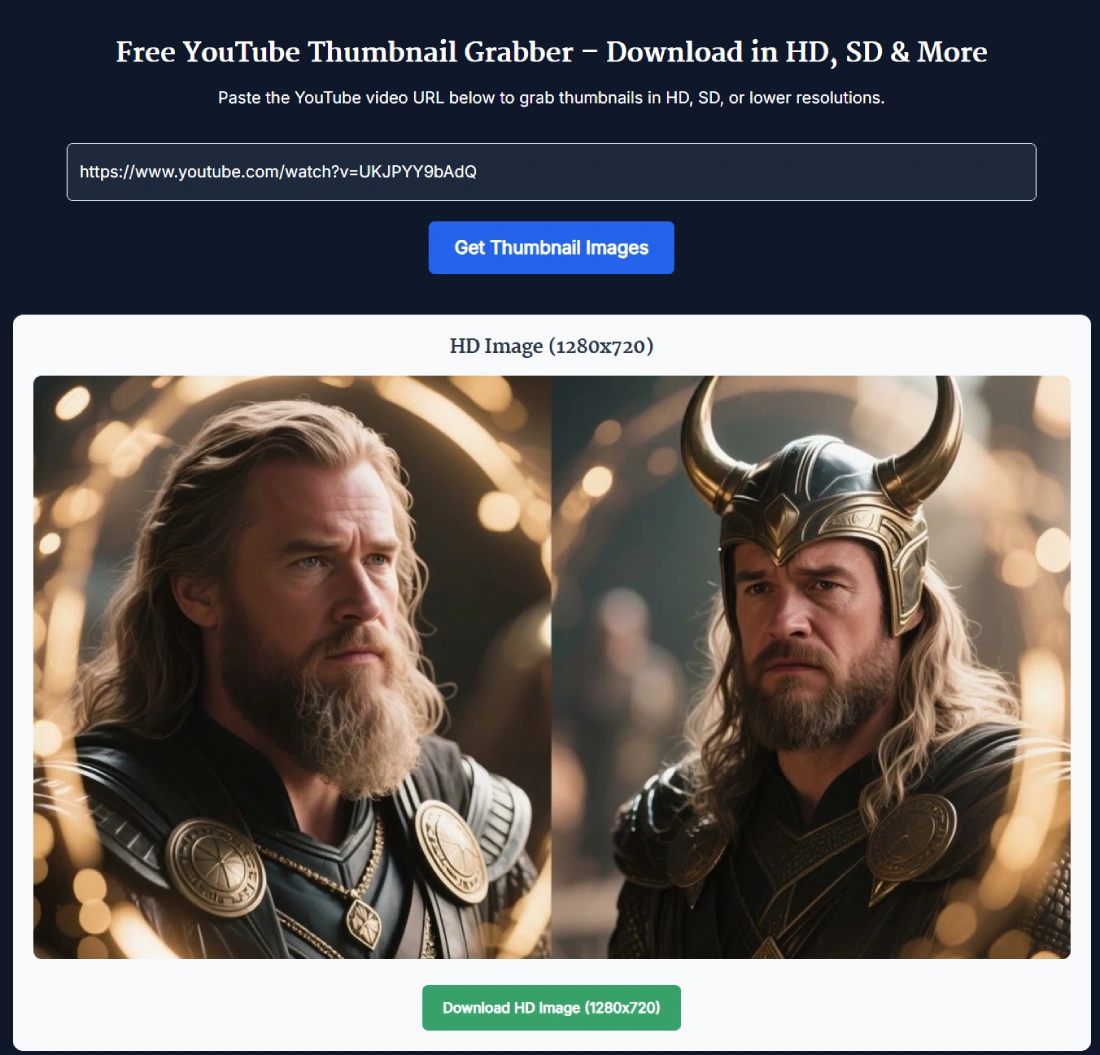
The YouTube Thumbnail Grabber lets you preview, download or copy the direct image URL for five standard YouTube thumbnail sizes. Paste a supported video link, select Get Thumbnails, and choose from options ranging from 1280×720 to 120×90. No login or API key is required.
The highest resolutions are not available for every video. Always check the preview before downloading because an unavailable HD or SD image may display a small YouTube placeholder instead of the video's real thumbnail.
What the YouTube Thumbnail Grabber Shows
The tool extracts the video ID from a supported YouTube URL and creates five thumbnail cards. Each card includes an image preview, a Download button and a Copy URL button.
- HD Image: 1280×720 using the maximum-resolution thumbnail address.
- SD Image: 640×480 using the standard-definition thumbnail address.
- HQ Image: 480×360 using YouTube's high-quality thumbnail address.
- MQ Image: 320×180 using the medium-quality thumbnail address.
- Default Image: 120×90 using the default thumbnail address.
These labels describe the five image addresses checked by the tool. They do not guarantee that YouTube has generated real artwork at every listed resolution for the selected video.
How to Download a YouTube Thumbnail
- Copy the video URL: Open the YouTube video or Short and copy its complete link.
- Paste the link: Add the URL to the YouTube video URL field above.
- Select Get Thumbnails: The tool extracts the video ID and displays five thumbnail cards.
- Check the previews: Confirm that your preferred size contains the real video artwork rather than a placeholder.
- Download or copy: Select Download to save the image or Copy URL to copy its direct image address.
Supported YouTube URL Formats
Live testing confirmed that the YouTube thumbnail downloader accepts the following URL structures:
- Standard watch URLs: youtube.com/watch?v=VIDEO_ID
- Shortened URLs: youtu.be/VIDEO_ID
- YouTube Shorts URLs: youtube.com/shorts/VIDEO_ID
- Embed URLs: youtube.com/embed/VIDEO_ID
The current tool processes one video at a time. It does not extract thumbnails from an entire playlist or channel. If you need to identify the 11-character ID inside a complicated link, use the YouTube Video ID Finder.
Download the Image or Copy Its Direct URL
Every result provides two options. Select Download when you want an image file. Select Copy URL when you need the direct img.youtube.com address for a document, CMS, design brief or permitted web use.
Copying the image URL does not create a permanent SanishTech-hosted copy. It gives you the current YouTube image address associated with that video ID and resolution.
Why an HD Thumbnail May Be Missing
YouTube does not provide every thumbnail size for every video. Availability can depend on the original video, its resolution and the artwork YouTube has generated for it.
During live testing, an older video returned proper 480×360 and 320×180 thumbnails, while the 1280×720 and 640×480 cards displayed a 120×90 placeholder. This means the presence of an HD card does not prove that an HD thumbnail exists.
Google's YouTube thumbnail documentation also explains that supported sizes can vary between resources and videos. It notes that images may include black bars when YouTube preserves the original aspect ratio while resizing.
What to Check Before Downloading
- Confirm that the preview shows the correct video's artwork.
- Check that the large image is not YouTube's generic placeholder.
- Use 1280×720 only when the full-resolution artwork is genuinely available.
- Choose 480×360 or 320×180 when a smaller image suits your layout.
- Remember that downloading an image does not grant permission to reuse it.
If you are testing a new design rather than retrieving an existing image, open the YouTube Thumbnail Previewer to see how your artwork may appear in YouTube-style layouts.
Using YouTube Thumbnails Responsibly
A public image address is not the same as a reuse licence. Your own thumbnails can generally be downloaded for backups, design work or content management. For another creator's artwork, check the licence and obtain permission when required.
YouTube explains that the Standard YouTube licence is the default for uploads. Content released under a Creative Commons Attribution licence may be reused subject to its terms, including attribution requirements. Review YouTube's official licence guidance before republishing another creator's work.
Current Tool Limitations
- The tool processes one video URL at a time.
- It does not download thumbnails for every video in a playlist.
- It does not create or upscale images to 4K.
- It cannot guarantee that 1280×720 or 640×480 artwork exists.
- Private, deleted, invalid or unavailable videos may return placeholders or unusable images.
- The tool does not provide copyright permission or determine whether reuse is legally allowed.
FAQ
How do I download a YouTube thumbnail with this tool?
Paste a supported YouTube video URL, select Get Thumbnails, preview the available cards, then select Download under the size you want. The tool processes one video URL at a time.
Which YouTube URL formats are supported?
Live testing confirmed standard watch URLs, youtu.be short links, Shorts URLs and embed URLs. A complete YouTube video URL is safer than pasting unrelated text or a playlist-only link.
How many thumbnail sizes does the tool show?
The tool shows five labelled options: 1280×720, 640×480, 480×360, 320×180 and 120×90. Availability depends on the video, so the largest options may display a YouTube placeholder instead of real HD artwork.
Can I copy the thumbnail URL instead of downloading the image?
Yes. Select Copy URL below any preview to copy its direct img.youtube.com image address.
Does the YouTube thumbnail grabber work with Shorts?
Yes. A standard YouTube Shorts URL was accepted during live testing and produced the same five thumbnail cards.
Do I need to sign in or enter a YouTube API key?
No. The page does not require a login or an API key. Paste a supported video URL and use the available preview, download and copy controls.
Why is the 1280×720 or 640×480 thumbnail unavailable?
YouTube does not provide every thumbnail size for every video. For some older or lower-resolution videos, a large-size image URL can return a small placeholder. Check the preview before downloading.
Can I download a 4K YouTube thumbnail?
No. This tool's largest labelled option is 1280×720. It does not create or upscale thumbnails to 4K.
Can I download thumbnails from private or deleted videos?
The tool can only display an image that YouTube makes available at the generated thumbnail address. Private, deleted, invalid or unavailable videos may return a placeholder or no useful image.
Can I reuse someone else's YouTube thumbnail?
Downloading an image does not grant permission to reuse it. Use your own thumbnail, obtain permission, or confirm that the licence and intended use allow reuse. Copyright exceptions vary by country.