

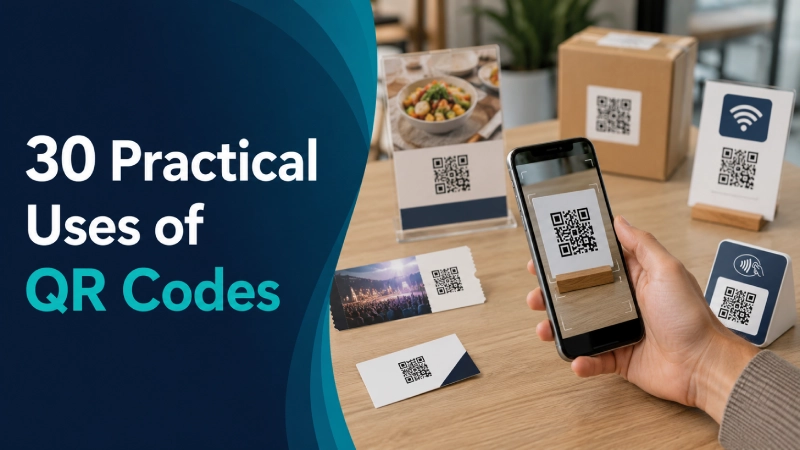
QR codes are most useful when someone is looking at a physical object, sign, product, document, or location and needs to complete one clear digital action. A scan can open a website, join WiFi, save a contact, start a payment, display a menu, download a file, add an event, or help staff identify an asset.
The trick is choosing the right type of code and placing it where the scan genuinely saves time. A QR code on a restaurant table can be helpful. The same code buried in a long email that someone is already reading on their phone is mostly a square-shaped inconvenience.
This guide covers 30 practical uses of QR codes, the tool needed for each job, common mistakes, printing advice, and a simple testing process. When you’re ready to make one, explore SanishTech’s 41 free QR code tools. No account is required.
Which QR code tool should you use?
Start with the action you want the person scanning the code to complete. The table below connects common tasks with the appropriate SanishTech tool.
| What you want to do | Recommended tool |
|---|---|
| Open a website or landing page | URL QR Code Generator |
| Connect guests to WiFi | WiFi QR Code Generator |
| Create a ready-to-print WiFi sign | WiFi QR Code Sign Generator |
| Share contact information | vCard QR Code Generator |
| Create a complete digital contact card | Digital Business Card QR Generator |
| Start a phone call | Phone Number QR Code Generator |
| Prepare an email | Email QR Code Generator |
| Display text without opening a webpage | Text QR Code Generator |
| Add a logo to a code | QR Code Generator With Logo |
| Request a Google review | Google Review QR Code Generator |
| Accept a UPI payment | UPI QR Code Generator |
| Share a location or directions | Google Maps QR Code Generator |
| Publish a digital restaurant menu | Restaurant Menu QR Code Generator |
| Share a PDF document | PDF QR Code Generator |
| Send people to a Google Form | Google Form QR Code Generator |
| Share social profiles | Social Media QR Code Generator |
| Link to an app download | App Download QR Code Generator |
| Promote an event | Event QR Code Generator |
| Add an event to a calendar | Calendar Event QR Code Generator |
| Share wedding information | Wedding QR Code Generator |
| Collect feedback | Feedback QR Code Generator |
| Distribute a coupon | Coupon QR Code Generator |
| Let customers book an appointment | Appointment QR Code Generator |
| Add campaign tracking parameters | UTM QR Code Generator |
| Download a code with no background | Transparent QR Code Generator |
| Create a scalable vector code | SVG QR Code Generator |
| Add a readable label below the code | QR Code Generator With Text Below |
| Design a printable poster | QR Code Poster Generator |
| Create a tabletop display | QR Code Table Tent Generator |
| Generate many codes at once | Bulk QR Code Generator |
| Generate codes from CSV data | CSV to QR Code Generator |
| Generate codes from an Excel file | Excel QR Code Generator |
| Create numbered or sequential codes | Sequential QR Code Generator |
| Design individual QR labels | QR Code Label Generator |
| Arrange codes on printable sticker sheets | QR Code Sticker Sheet Generator |
| Tag equipment and company assets | Asset Tag QR Code Generator |
| Identify inventory items | Inventory QR Code Generator |
| Encode structured JSON data | JSON QR Code Generator |
| Read a code from a camera or image | Online QR Code Scanner |
| Check whether a code works | QR Code Validator |
| Estimate its required print size | QR Code Size Calculator |
What is a QR code?
A QR code is a two-dimensional code that stores data in a pattern of dark and light modules. A phone camera or scanner reads the pattern and interprets the stored information. Depending on the data, the phone might open a link, show text, offer to join a WiFi network, save a contact, or start another action.
DENSO WAVE developed the QR Code in 1994 for fast reading in manufacturing. The name stands for “quick response.” The format later spread far beyond factories because it can hold more information than a traditional one-dimensional barcode and can be read from different directions. You can read the official history from DENSO WAVE.
A QR code isn’t an app, payment service, file host, or security check by itself. Think of it as a compact instruction. What happens after a scan depends on the information stored inside it and the service or webpage that information points to.
30 practical uses of QR codes
1. Send people to a website or landing page
This is the simplest and most flexible use. A shop can place a QR code on its packaging that opens a care guide. A property agent can add one to a signboard that opens the complete listing. A speaker can put one on the final presentation slide so attendees can download the resources.
Use the URL QR Code Generator and link directly to the most relevant page, not your homepage by habit. Someone scanning “View today’s price list” should land on the price list in one step.
2. Let guests join WiFi without typing the password
A WiFi QR code stores the network name, security type, and password in a format compatible phones can understand. It works well in cafés, offices, clinics, rental properties, reception areas, and homes with frequent visitors.
Create the code with the WiFi QR Code Generator. For a polished reception or guest-room display, use the WiFi QR Code Sign Generator. Put it somewhere guests can see but avoid displaying access to a sensitive internal network. A separate guest network is the cleaner setup.
3. Turn a printed business card into a saved contact
A small card can only hold so much without looking crowded. A vCard QR code can offer a name, phone number, email address, company, job title, website, and other contact details that the recipient can save.
The vCard QR Code Generator is suitable when the goal is saving contact data. The Digital Business Card QR Generator is better when you want a more complete shareable card. Check every phone number and email address before printing 500 copies. A QR code reproduces a typo with impressive consistency.
4. Start a phone call from a sign or service sticker
A phone number QR code reduces friction when the number is long, unfamiliar, or needed quickly. It can be placed on roadside assistance cards, appliance service labels, property boards, hotel information sheets, or clinic notices.
Use the Phone Number QR Code Generator. Add the number in readable text beside the code too. That gives people a choice and keeps the information accessible when scanning isn’t convenient.
5. Open a pre-filled email
An email QR code can prepare the recipient address, subject, and message body. A repair company might use “Request a service visit” with a pre-filled subject. An event organiser could use “Ask about sponsorship” and route the message to the right inbox.
Build it with the Email QR Code Generator. Keep the prepared message short enough that the sender can review and personalise it. Don’t use this for collecting sensitive information over ordinary email.
6. Collect Google reviews after a real customer interaction
Place a review QR code on a receipt, thank-you card, counter sign, or follow-up handout. The timing matters more than the artwork. Ask after the order has been delivered or the service has been completed, when the experience is still fresh.
The Google Review QR Code Generator can send customers to the correct review destination. Don’t offer rewards only for positive reviews or pressure people to leave a particular rating. Ask for honest feedback.
7. Accept UPI payments
For Indian shops, freelancers, service providers, market stalls, and community events, a UPI QR code can prepare a payment to the intended UPI ID. It saves the customer from typing the payee address manually.
Use the UPI QR Code Generator, then make a small test payment before displaying it. The customer should still confirm the payee name and amount inside the payment app. Inspect printed codes regularly so a scammer can’t cover the genuine code with a replacement sticker.
8. Share a shop, office, venue, or meeting location
Written addresses can be ambiguous, especially in large campuses, rural areas, industrial estates, or venues with multiple entrances. A location QR code can open the correct point on Google Maps.
Create it with the Google Maps QR Code Generator. Test the pin rather than assuming the street address resolves correctly. For an event, include a short printed landmark or gate number beside the code.
9. Display a restaurant menu
A menu QR code works on table tents, counters, takeaway packaging, hotel rooms, and outdoor seating. It’s useful when the digital menu is easier to update or when diners need language, allergen, or dietary information that won’t fit comfortably on one printed page.
Use the Restaurant Menu QR Code Generator. Keep a readable physical menu available for customers who don’t have a compatible phone, have low battery, need accessibility support, or simply prefer paper.
10. Share a PDF without printing every page
QR codes can connect a label or one-page handout to a manual, brochure, syllabus, specification sheet, price list, safety document, or report. This is useful when the full file would be expensive or impractical to print.
The PDF QR Code Generator accepts an existing PDF link and also provides an optional file-upload workflow. Remember that a QR code pointing to a PDF keeps working only while that file remains available at the encoded address. Check the file permissions from a private browser window before publishing.
11. Send visitors to a Google Form
A Google Form QR code can handle registrations, checklists, lead forms, applications, classroom responses, order requests, or simple surveys. It’s particularly handy when the form needs to be opened from a poster or paper document.
Use the Google Form QR Code Generator. Keep the form short for mobile users and confirm that it doesn’t require an account unless that restriction is intentional.
12. Connect offline visitors with social media profiles
A social QR code can move people from packaging, a storefront, an exhibition stand, or a printed portfolio to the profile where you publish updates. It works best when the sign explains why following is worthwhile, such as “Scan for weekly tutorials” rather than the vague “Follow us.”
Create it using the Social Media QR Code Generator. Send people to the platform that matches the context instead of making them choose from a crowded page of ten icons.
13. Direct users to the correct app download
Put an app QR code on product packaging, onboarding cards, invoices, point-of-sale displays, event booths, or desktop webpages. It removes the need to search an app store and risk choosing a similarly named app.
The App Download QR Code Generator helps package the download destination. Use the official listing and mention the app name beside the code so people know what they are about to open.
14. Deliver a coupon or promotion
A coupon QR code can sit on a flyer, receipt, product insert, counter card, or local advertisement. The scan should reveal a clear offer, eligibility rule, and expiry date. Hidden conditions are an efficient way to turn a discount into an argument.
Use the Coupon QR Code Generator. If the offer can change, point to a stable page you control and update the content on that page rather than changing its URL.
15. Collect customer or visitor feedback
Feedback codes work well near the end of an experience: on a bill folder, clinic exit card, delivery insert, hotel desk, workshop handout, or employee common-area sign. Ask one focused question first, then allow optional detail.
Create the entry point with the Feedback QR Code Generator. Don’t request medical, financial, or personally sensitive information unless the destination has the right privacy and security controls.
16. Offer appointment booking from printed materials
A salon can place a booking code at the reception desk. A consultant can add one to a brochure. A clinic can put it on a follow-up card. The scan should open the relevant booking page, not a general homepage that sends the visitor hunting for the calendar.
Use the Appointment QR Code Generator. Test the complete booking flow on a phone, including time-zone handling and confirmation messages.
17. Measure visits from printed campaigns with UTM parameters
When the destination is a webpage, UTM parameters can help analytics software attribute visits to a particular flyer, poster, shop, event, or campaign. For example, two posters can lead to the same page while using different campaign values.
The UTM QR Code Generator creates a tagged destination and turns it into a code. Use consistent lowercase names and document your naming rules. UTM tracking measures visits that reach the website. It doesn’t prove how many people pointed a camera at the code but abandoned before the page loaded.
18. Promote an event and provide essential details
An event QR code can connect posters, invitations, banners, or social graphics to a registration page, schedule, venue guide, or event information page. It suits conferences, workshops, school functions, exhibitions, community meetings, and product launches.
Build it using the Event QR Code Generator. Put the event name and date in ordinary text near the code. A mystery square shouldn’t carry the whole communication burden.
19. Let attendees save an event to their calendar
A calendar QR code can include the title, date, time, location, and description. It’s useful on save-the-date cards, course schedules, appointment reminders, conference programmes, and recurring community notices.
Use the Calendar Event QR Code Generator. Double-check the time zone and test the event on more than one calendar app, especially when attendees may be in different regions.
20. Organise wedding information in one scannable place
Wedding invitations have limited space. A QR code can provide directions, schedule updates, RSVP details, accommodation information, a gift registry, photo-sharing instructions, or a digital programme.
Create one with the Wedding QR Code Generator. Print the important date, time, and venue normally as well. Guests shouldn’t lose the essential details when they have no signal.
21. Make posters and flyers actionable
A poster can catch attention, but it has little room for a long URL or complete explanation. Add a QR code for tickets, registration, a product demo, a donation page, directions, or full campaign details.
The QR Code Poster Generator helps combine the code with a clear visual message. Place it where people can pause safely and scan. A tiny code on a roadside banner may look modern, but it’s not a practical instruction for moving traffic.
22. Add useful actions to table tents
Table tents work in restaurants, cafés, hotels, exhibitions, reception areas, training rooms, and events. One side might offer WiFi access while the other opens a menu, feedback form, review page, or event schedule.
Use the QR Code Table Tent Generator. Keep each display focused on one main action. Five competing codes on a small card create a puzzle, not convenience.
23. Display offline text and short instructions
Not every QR code needs a webpage. A text code can hold a short instruction, reference number, locker note, equipment identifier, emergency message, or other plain text that the scanner displays directly.
Use the Text QR Code Generator. Keep the content concise. More stored data produces a denser pattern, which generally needs more space and cleaner printing.
24. Put durable information on product or storage labels
A QR label can connect a product, sample, storage box, shelf, or document folder to its digital record. In a small workshop, a label might open setup instructions. In an office archive, it might identify a folder in the document system.
Use the QR Code Label Generator. Choose label material suited to the environment. Water, dust, abrasion, curved surfaces, and glare can matter just as much as the code itself.
25. Print several QR stickers on one sheet
Sticker sheets are useful for small batches of packaging, library items, storage bins, sample kits, classroom materials, equipment, or event packs. Arranging them correctly before printing reduces wasted paper and manual trimming.
The QR Code Sticker Sheet Generator prepares a printable layout. Print one sheet first and test codes from the centre and edges before committing to the whole batch.
26. Tag company equipment and assets
Laptops, tools, cameras, machines, furniture, and other assets can carry a QR tag that links to an internal record or stores an identifier. Staff can use it to find ownership, maintenance, assignment, or support information.
Use the Asset Tag QR Code Generator. Avoid putting confidential asset details directly into a publicly readable code. A random visitor should not learn more than they need to know by scanning a laptop sticker.
27. Identify and manage inventory
Inventory QR codes can identify stock items, batches, storage locations, kits, or containers. They’re useful when a simple scan needs to open a record, reveal a stock-keeping identifier, or support a manual inventory workflow.
Create the codes with the Inventory QR Code Generator. The code is only one part of the system. You still need a reliable process for updating quantities, permissions, locations, and status.
28. Generate QR codes in bulk from business data
Creating one code at a time becomes painful when you need codes for hundreds of products, attendees, certificates, rooms, assets, or records. Batch tools reduce repetitive work and help maintain consistent output.
Choose the Bulk QR Code Generator for a general batch, the CSV to QR Code Generator for CSV data, or the Excel QR Code Generator for spreadsheet input. Clean the source data first. A batch generator can create 500 codes quickly, including 500 codes based on bad rows.
29. Create numbered or structured codes
Sequential codes suit numbered tickets, storage positions, document IDs, classroom items, inspection points, or labels built from a predictable pattern. The Sequential QR Code Generator avoids typing every value manually.
For technical workflows that need structured key-value data, the JSON QR Code Generator can encode JSON. Keep in mind that anyone with a scanner may be able to read data stored directly in an ordinary QR code. Don’t place secrets, access tokens, private customer records, or passwords inside it.
30. Prepare branded, accessible, and print-ready QR artwork
A plain code is sometimes enough. At other times you need an output that works with a brand layout or professional printing process. Add restrained branding with the QR Code Generator With Logo, create background-free artwork with the Transparent QR Code Generator, or download scalable artwork from the SVG QR Code Generator.
The QR Code Generator With Text Below is useful when the code needs a visible label such as “Scan for the menu” or “Open setup guide.” Branding should never come at the cost of contrast, quiet space, or scan reliability.
Static vs dynamic QR codes: which should you use?
| Feature | Static QR code | Dynamic QR code |
|---|---|---|
| What the code stores | The final data or destination | A managed redirect link |
| Can the encoded destination be changed? | No | Usually yes, through the provider |
| Built-in scan analytics | No | Often available |
| Dependence on a QR service | Usually none after generation | Depends on the redirect service remaining active |
| Good for | Fixed URLs, WiFi, contact details, text, email, and other stable information | Campaigns or printed material whose destination may need to change |
The generators in SanishTech’s QR Code Tools hub create static codes. The stored data doesn’t change after generation, and the code itself doesn’t expire. However, the thing it points to can stop working. A deleted webpage, moved PDF, changed WiFi password, or closed booking form can make a perfectly readable QR code useless for its original purpose.
There’s a practical middle ground for website destinations. Point the QR code to a stable URL on a domain you control, then update the content at that URL without changing the address. This doesn’t add scan analytics or make the QR pattern editable, but it can protect printed material from routine content changes.
How to create and test a QR code
- Choose one action. Decide whether the scan should open a link, join WiFi, save a contact, make a payment, or do something else.
- Prepare the destination. Check the webpage, file permissions, form settings, contact details, or payment information before generating the code.
- Select the matching generator. Use the table above or browse the complete SanishTech QR Code Tools hub.
- Enter and review the data. A QR code won’t correct a wrong URL, misspelled email address, bad map pin, or outdated phone number.
- Customise cautiously. Maintain strong contrast and avoid covering important parts of the pattern with an oversized logo.
- Download the right format. PNG is convenient for many digital and ordinary print uses. SVG is usually better when a designer needs to scale the code for large artwork without making it blurry.
- Scan and validate it. Use the Online QR Code Scanner to read a saved image and the QR Code Validator to check the result.
- Test the final version. Try more than one phone, camera, angle, and lighting condition. Test the printed copy, not only the clean image on your monitor.
QR code printing and placement best practices
Keep a clear quiet zone
The blank area around a QR code helps a scanner distinguish the symbol from nearby graphics. DENSO WAVE’s official guidance specifies a quiet zone four modules wide on every side of a standard QR Code. Don’t squeeze text, borders, patterns, or logos into that space. See the official QR Code margin guidance.
Use strong contrast
Dark modules on a light background remain the safest choice. Avoid low-contrast colour combinations, busy photo backgrounds, reflective finishes, and colour inversions unless you’ve tested the final result extensively.
Size the code for the real scan distance
There isn’t one minimum size that suits every job. Required size changes with scan distance, the amount of stored data, error correction, print quality, surface, lighting, and camera capability. Use the QR Code Size Calculator for an initial estimate, then print one copy at actual size and test it from the intended position.
Give people a reason to scan
“Scan to view today’s menu” is better than “Scan me.” The surrounding text should explain the action and expected result. When possible, display the brand or destination domain so the scanner isn’t stepping into complete uncertainty.
Avoid awkward placements
Don’t place a code across a fold, around a sharp curve, behind glass with heavy glare, too close to the floor, or where people must block a walkway to scan. A QR code on a moving vehicle is a poor call to action for drivers. A code shown only inside a mobile app is also inconvenient when the same phone is expected to scan it, so include a tappable link.
Test after every design change
Error correction can help recover some damaged or obscured data, but it isn’t permission to decorate recklessly. DENSO WAVE explains that higher error-correction levels add recovery capability while also increasing the amount of data required in the symbol. Test again after changing colours, adding a logo, resizing, exporting, compressing, or printing. Read the official explanation of QR error correction.
Common QR code mistakes to avoid
- Linking to a desktop-only page: Most people scan with phones. The destination must work properly on a small screen.
- Using the wrong destination: Send visitors to the exact menu, form, file, product, or booking page promised beside the code.
- Encoding too much data: Long text and complex URLs produce denser codes. Store only what the use case needs.
- Printing before testing: Always test a physical proof at the final dimensions and expected distance.
- Removing the quiet zone: Decorative elements around the edges can interfere with scanning.
- Using weak contrast: Pale modules, textured backgrounds, glare, and inverted colours can reduce reliability.
- Relying on a temporary file or URL: If the destination disappears, the printed code can’t rescue it.
- Forgetting a non-QR option: Include a readable URL, phone number, menu, or instruction when accessibility and reliability matter.
- Confusing UTM visits with total scans: Tagged links can measure visits reaching your site, but not every scan attempt or preview.
- Storing confidential data directly: An ordinary code can be read by anyone who can see it. Use access controls at the destination instead.
Are QR codes safe?
A QR code is not automatically safe or unsafe. It can store a legitimate link just as easily as a malicious one. The problem is that people can’t read the destination simply by looking at the pattern.
The US Federal Trade Commission recommends inspecting a scanned URL before opening it and being cautious with unexpected QR codes in emails or text messages, particularly messages that create urgency. Read the FTC’s QR code scam guidance.
If you publish QR codes:
- Use a recognisable destination and explain what the scan will do.
- Check public codes for replacement stickers or tampering.
- Protect the destination with HTTPS, appropriate permissions, and secure forms.
- Never encode passwords, access tokens, private records, or other secrets directly.
- For payment codes, ask the payer to confirm the recipient name and amount in the payment app.
If you scan QR codes, preview the destination, look for misspelled domains, and avoid entering login or payment details after an unexpected prompt. When in doubt, open the organisation’s known website or app directly.
Choose the scan that removes a real step
The best uses of QR codes aren’t flashy. They remove a small but annoying step: typing a WiFi password, copying a long address, searching for an app, finding a review page, entering contact details, or locating a manual.
Start with one useful action, create the matching code, label it clearly, and test it in the same conditions your audience will face. You can build website, WiFi, UPI, PDF, menu, event, business, print, batch, inventory, and other codes from the SanishTech QR Code Tools hub.
Frequently asked questions
What are the most common uses of QR codes?
Common uses include opening websites, joining WiFi, making payments, viewing restaurant menus, saving contact details, finding locations, downloading apps, opening forms, sharing PDFs, collecting reviews, and identifying products or assets.
Can I create a QR code for free?
Yes. SanishTech provides free QR code generators for URLs, WiFi, contact cards, UPI payments, PDFs, forms, events, print layouts, bulk data, inventory, and other tasks. No account is required to use the tools.
Do QR codes expire?
A static QR code doesn’t expire by itself because its data is stored in the pattern. However, its destination can stop working. A deleted webpage, unavailable PDF, changed WiFi password, or closed form can make the code ineffective.
What is the difference between a static and dynamic QR code?
A static QR code stores its final data or destination and can’t be edited after generation. A dynamic QR code normally stores a managed redirect link, allowing its provider to change the destination and often record scan analytics.
Can a QR code work without internet access?
A phone can decode text, contact details, WiFi credentials, and some other stored data without opening a webpage. Actions involving websites, cloud files, maps, online forms, app stores, or payment services normally require an internet connection.
Can I scan a QR code from a screenshot?
Yes. Upload the screenshot or saved image to the SanishTech Online QR Code Scanner. The result depends on image sharpness, contrast, cropping, and whether the complete code and its quiet zone are visible.
Is PNG or SVG better for a QR code?
PNG is convenient for websites, documents, and many ordinary print jobs. SVG is better when a designer needs to enlarge the code for signs, posters, or other artwork without pixelation. Test the final exported or printed version either way.
How large should a printed QR code be?
There is no universal size for every situation. It depends on scan distance, data density, contrast, print quality, surface, lighting, and the scanner’s camera. Calculate a starting size, print one proof at actual dimensions, and test it from the intended distance.
How can I track visits from a QR code?
For a website destination, add consistent UTM parameters before generating the code and review the resulting campaign visits in your analytics platform. This tracks visits that reach the site, not every camera scan. Full scan-level reporting generally requires a managed dynamic QR service.
Are QR codes safe to scan?
QR codes can point to safe or malicious content. Preview the destination, check the domain carefully, avoid unexpected codes that demand urgent action, and don’t enter sensitive information unless you trust the destination.
