

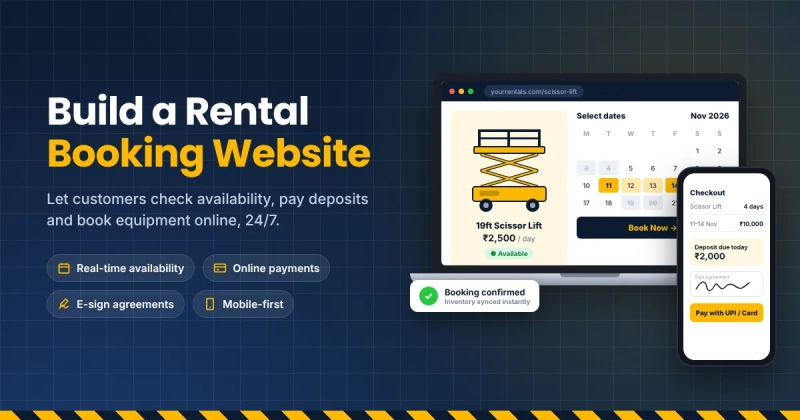
For many equipment rental businesses, the website is still a digital brochure: a homepage, a list of equipment, a contact form and a phone number. Customers have to call during business hours to check availability and book. Many never do.
Modern customers expect to check availability, see prices and book online, just as they do for hotels and cars. A website that books rentals online can transform a rental business. This article covers how to plan, build and optimise a rental booking website, including platform choices and costs.
What a Rental Booking Website Needs
A strong rental website includes:
- Clear equipment categories and product pages
- Photos, specifications and typical uses
- Pricing by hour, day, week or month
- Real-time availability by date
- Online booking and checkout
- Deposits and payments
- Rental agreements and e-signatures
- Customer accounts for repeat bookings
- Mobile-friendly design
Choosing a Platform
WordPress
WordPress is popular for small business websites because it is flexible and has many themes and plugins. It works well for content, SEO and design. For costs, this guide on how much a WordPress website costs breaks down hosting, themes, plugins and development fees.
For rental functionality, WordPress usually needs either a rental plugin or integration with dedicated rental software.
Website builders
Platforms like Wix and Squarespace are easy to use but have limited rental features.
Dedicated rental platforms
Some rental software includes built-in booking websites or embeddable widgets that connect directly to inventory.
Why Integration Matters
The biggest challenge in rental websites is keeping availability accurate. If your website shows an item as available but it is already booked at the counter, you create frustrated customers and double bookings.
The solution is to connect your website to a dedicated rental system, so availability, pricing and bookings sync in real time. When a customer books online, the item is instantly reserved. When staff book at the counter, the website updates automatically. Tools like EquipmentRentalSoftware.io bring these tasks into one place.
Designing for Conversion
Clear navigation
Organise equipment into logical categories such as earthmoving, access, power, events and tools.
Strong product pages
Include high-quality photos, key specifications, typical uses, pricing and availability.
Simple booking flow
Minimise steps: choose dates, add items, enter details, pay deposit, sign agreement.
Trust signals
Show reviews, safety certifications, delivery areas and contact details.
Mobile optimisation
Many customers book from phones on job sites. Test every step on mobile.
Accessibility
An accessible website serves more customers and reduces legal risk. The W3C’s introduction to web accessibility explains principles such as clear contrast, keyboard navigation and descriptive alt text. Applying these makes your booking process easier for everyone.
SEO for Rental Websites
To attract customers, optimise for searches like “scissor lift rental near me” or “party tent hire Chennai.” Key steps:
- Create dedicated pages for each equipment category and location
- Write helpful content such as equipment guides and FAQs
- Use descriptive titles and meta descriptions
- Ensure fast loading speeds
- Set up a Google Business Profile
Payments and Deposits
Integrate secure payment gateways that support:
- Online card payments
- Deposits and pre-authorisations
- Refunds
- Local payment methods such as UPI in India
Common Mistakes
- Showing equipment without prices or availability
- Requiring phone calls to complete bookings
- Slow, image-heavy pages
- Poor mobile experience
- Manual availability updates that go out of date
Budgeting for a Rental Website
Costs include:
- Domain and hosting
- Design and development
- Rental software or plugin subscription
- Payment gateway fees
- Ongoing maintenance and updates
- Content creation and SEO
A simple site with integrated rental software can be launched affordably and expanded over time.
Launch Checklist
- Equipment catalogue complete with photos and specs
- Pricing set for all rental periods
- Availability synced with rental software
- Booking and payment tested end to end
- Agreements and terms in place
- Mobile experience tested
- Analytics and conversion tracking set up
Frequently Asked Questions
Is renting always cheaper than buying?
No. Renting is usually cheaper for equipment used occasionally, seasonally or for a single project. For equipment used almost every day over many years, buying often costs less overall. The best approach is to compare the total cost of each option over the expected period of use, including maintenance, insurance, storage and resale value.
Why do condition photos matter?
Photos taken at check-out and check-in show exactly what state the equipment was in. They protect customers from unfair charges and protect the rental company when genuine damage occurs. Time-stamped photos stored against each booking are far more reliable than handwritten notes.
Does rental help with sustainability?
Rental keeps equipment in use for longer and reduces the number of items that are bought, used briefly and stored or thrown away. Well-maintained rental fleets also allow customers to access newer, more efficient models without each business buying its own.
What should a rental agreement include?
A clear agreement should cover the rental period, rates and deposits, who is responsible for damage and loss, permitted use, insurance requirements, late return charges, cancellation terms and the condition of the equipment at handover. Signed digital agreements with photos attached make disputes much easier to resolve.
Conclusion
A website that books rentals online can dramatically increase bookings, reduce admin and improve customer experience. Choose a platform that fits your needs, integrate it with rental software for real-time availability, design for conversion and accessibility and optimise for search. Your website can become your busiest rental counter, open around the clock.