
You upload a video. It looks good. You hit publish.
Then… silence.
No impressions. No clicks. No growth.
I’ve seen this happen way too often. And honestly, most of the time it’s not because the content is bad. It’s because YouTube doesn’t understand it properly.
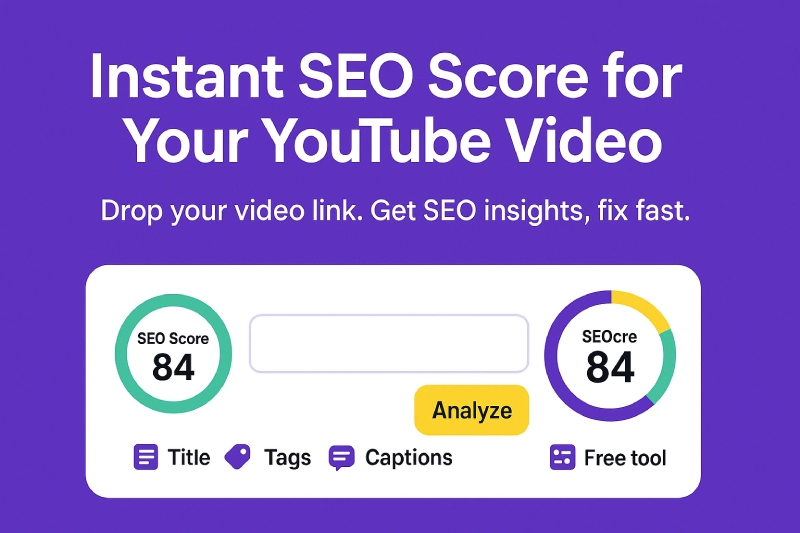
That’s where a tool like the YouTube Video SEO Checker comes in. It shows exactly what’s missing, what’s weak, and what needs fixing so your video actually gets a chance to rank.
Why YouTube SEO Actually Matters
YouTube is not just a platform. It’s the second-largest search engine.
Here’s what happens behind the scenes:
- YouTube reads your metadata first
- Then it tests your video with a small audience
- If people click and watch, it pushes it further
So your SEO is your first impression.
If your title, tags, or description are weak, your video never gets that initial push.
What the YouTube Video SEO Checker Actually Does
The YouTube Video SEO Checker removes guesswork completely.
Instead of manually checking everything, it audits your video in seconds.
It analyzes:
- Title length and keyword placement
- Description strength
- Tags relevance and count
- Captions availability
- Hashtags usage
- Chapters and timestamps
- Video quality and duration
Then it gives you:
- A clear SEO score (0–100)
- Pass or fail indicators
- Quick actionable suggestions
Think of it like a report card for your video SEO.
Step-by-Step: How to Optimize Your YouTube Videos
1. Run a Quick SEO Audit
Paste your video URL into the tool and hit analyze.
Within seconds, you’ll see:
- SEO score
- Missing elements
- Weak areas
If you’re working with multiple videos, you can speed things up using tools like YouTube Channel Video Links Extractor.
2. Fix Your Title for Clicks + Rankings
Your title has two jobs:
- Help YouTube understand your content
- Make users click
Best practices:
- Keep it between 50–65 characters
- Place your keyword early
- Add curiosity
Example:
Instead of “Laptop Review”
Try “Laptop Review: Real Performance After 7 Days”
Same keyword. Better clicks.
3. Upgrade Your Description (Hidden Ranking Factor)
Most creators ignore this, but it matters more than you think.
Your description should:
- Be at least 250+ characters
- Include your keyword naturally
- Clearly explain the video
- Add timestamps
The tool highlights weak descriptions instantly so you know what to improve.
4. Optimize Tags Without Overdoing It
Tags still help, but only when used correctly.
The tool checks:
- Too many tags
- Too few tags
- Irrelevant keywords
Ideal range:
5–15 focused tags
For better keyword ideas, you can also use a YouTube Tag Generator Tool.
5. Add Captions (Big SEO Boost)
Captions help YouTube understand your content better.
Even auto captions are useful, just clean them slightly.
If your video doesn’t have captions, the SEO checker will flag it immediately.
6. Add Chapters for Better Retention
Chapters improve both user experience and watch time.
They:
- Help viewers navigate
- Increase engagement
- Improve retention
And yes, the tool checks whether your video has chapters or not.
7. Improve Thumbnail CTR (Critical in 2026)
Even perfect SEO won’t help if nobody clicks.
Focus on:
- Clear subject
- High contrast
- Minimal text (2–4 words)
CTR is now one of the strongest ranking signals on YouTube.
8. Focus on Watch Time and Retention
YouTube prioritizes videos that people keep watching.
So:
- Hook viewers in the first 5 seconds
- Avoid long intros
- Keep your pacing tight
SEO gets impressions.
Retention gets rankings.
Real Example (Simple but Powerful)
Let’s say you upload a tech video.
Before optimization:
- Weak title
- No captions
- Too many tags
- No chapters
After using the SEO checker:
- Cleaned up tags
- Added captions
- Improved title
- Added timestamps
Result:
- Better click-through rate
- Higher watch time
- More impressions
No fancy tricks. Just fixing the basics.
Benefits of Using a Video SEO Checker
- Saves time and removes guesswork
- Instantly highlights SEO issues
- Improves discoverability
- Boosts click-through rates
- Helps increase watch time
- Makes optimization repeatable
Common Mistakes to Avoid
- Adding too many tags
- Ignoring thumbnails
- Writing short descriptions
- Skipping captions
- Uploading and never optimizing again
Biggest mistake?
Not auditing your videos at all.
Pro Tips to Get Better Results
- Re-optimize old videos every 2–3 months
- Track performance after changes
- Study competitor videos using the tool
- Focus on one keyword per video
Quick insight:
Some videos improve just by updating titles and adding chapters. No new upload needed.
Combine This Tool with Others (Growth Stack)
The SEO checker shows what’s wrong.
Other tools help you fix it faster.
For example:
- Use YouTube Title Length Checker to improve CTR
- Use YouTube Tag Generator Tool to find better tags
- Use YouTube Data Viewer to analyze competitors
This combination is what actually drives growth.
The Bottom Line
You don’t need advanced SEO knowledge to grow on YouTube.
You just need clarity.
That’s exactly what the YouTube Video SEO Checker gives you.
It shows what’s working, what’s broken, and what to fix next.
Use it consistently, and you’ll start seeing results. Not overnight. But steadily.
FAQ YouTube Video SEO Checker
What is a YouTube Video SEO Checker?
A YouTube Video SEO Checker is a tool that analyzes your video’s title, description, tags, captions, and structure. It gives you a score and suggestions to improve visibility and ranking.
Do I need to connect my YouTube account?
No. You don’t need to log in. Just paste your video URL and analyze instantly.
Can this tool improve my rankings?
The tool itself doesn’t rank videos, but it shows exactly what to fix. Applying those changes improves your chances of ranking higher.
How often should I check my videos?
It’s best to audit videos after publishing and revisit them every few months to improve performance.
Is this tool free to use?
Yes, the tool is completely free and works directly in your browser without signup.