

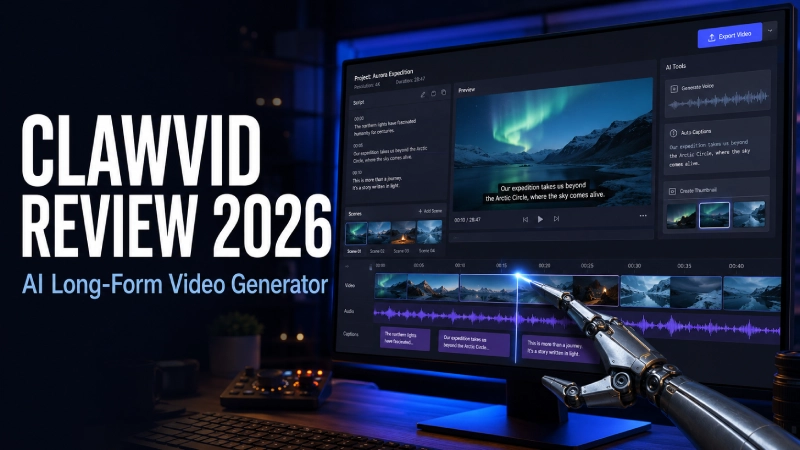
ClawVid review 2026
ClawVid is advertised as an OpenClaw-powered AI video agent that turns one idea into a finished 5 to 30-minute video. I reviewed the official demo and complete product funnel. The concept is appealing, but several inconsistencies mean I would verify the checkout and front-end limits before buying.
Quick verdict
ClawVid has a useful premise for faceless-video creators, but I cannot give it an unconditional recommendation yet. The public offer promises a great deal for a $17 one-time payment, including long-form generation, voiceover, captions, music, SEO assets and publishing.
The concern is verification. The advertised demo currently opens a six-second unlisted Convertri logo clip rather than a ClawVid walkthrough. The sales and JV pages also disagree about price wording, refund conditions and which tier includes 4K or unlimited use.
My buying position: consider only the front end if the live checkout clearly confirms the features and limits you need. Skip the OTOs until you have used the core account, and ignore income or traffic projections.
- Front-end price$17 advertised
- CreatorSeun Ogundele
- Launch dateAugust 26, 2026
- Main useLong-form AI video
- Claimed length5 to 30 minutes
- Review basisDemo and public funnel
- Refund wordingConflicting
- VerdictCautious
Want to inspect the current ClawVid offer?
Confirm the final price, front-end limits, refund terms and any external credit requirements on the live checkout before paying.
View the Current ClawVid OfferLong-form faceless video is an attractive automation target because the work is repetitive. A creator may need to research a topic, write a script, break it into scenes, find visuals, record narration, add captions, mix music, design a thumbnail and prepare the YouTube metadata. Even when AI helps with individual steps, moving assets between separate tools can remain slow.
ClawVid tries to replace that patchwork with one prompt-led workflow. That makes the product interesting. It also makes verification important, because generating several minutes of video, audio and images involves real computing costs and many opportunities for quality problems.
What is ClawVid?
ClawVid is a cloud-based AI video generator sold by Seun Ogundele. The vendor describes it as an autonomous, OpenClaw-powered video agent that can turn one topic into a complete 5 to 30-minute video. The public launch listing identifies it as software, lists a $17 front-end price and gives August 26, 2026 as the launch date.
The sales page says the platform can create the script, scene plan, visuals, AI narration, background music, captions, transitions, thumbnail and SEO metadata. It also advertises more than 50 voices, more than 30 languages, cloud storage and YouTube publishing.
That positioning is broader than a normal text-to-video tool. ClawVid is presented as a production workflow for explainers, list videos, documentary-style videos, educational content, product videos and faceless YouTube channels.
How I reviewed ClawVid
I reviewed the live sales page, the official public JV page, the launch listing and the embedded video presented in the sales page’s demo section. I also compared the product claims with current YouTube monetization and synthetic-content guidance.
I did not receive a paid account, enter the member dashboard or generate a video. That limits what I can responsibly say about render quality, generation speed, uptime, support and real usage limits.
The demo check produced the clearest limitation. The sales page headline invites visitors to watch ClawVid build a long-form video, but the embedded player currently points to a six-second unlisted video titled “Convertri Logo.” It is not a product walkthrough and does not demonstrate ClawVid’s interface or output quality.
How ClawVid is advertised to work
The public offer describes a largely automated sequence:
- Enter a topic or idea: The user supplies the subject and intended video direction.
- Generate the script and scene plan: ClawVid is said to research the topic, write the narration and divide it into scenes.
- Create the media: The platform is advertised to generate cinematic visuals, AI voiceover, music, captions and transitions.
- Prepare the publishing assets: The vendor says it creates SEO metadata and a thumbnail.
- Export or publish: The sales page advertises HD or 4K export and one-click YouTube publishing.
This is the right overall sequence for an automated video tool. What the public material does not show clearly is how much control a user has at each checkpoint. Before buying, I would want to know whether every script, scene, voice, image prompt and caption can be edited before a final render.
Potential strength: one connected workflow
If the member app performs as advertised, keeping script, scenes, media, voice and publishing assets in one project could remove substantial copy-and-paste work.
Main unknown: output and limits
The public page does not provide a usable demonstration of output consistency, render time, generation credits, fair-use rules or how the front end differs from the upgrades.
ClawVid claims versus what still needs confirmation
| Sales-page claim | What I could verify publicly | What a buyer should confirm |
|---|---|---|
| Creates 5 to 30-minute videos | The claim appears repeatedly on the sales page. | Maximum length per project, monthly limits and whether long renders use extra credits. |
| Script, scenes, visuals, voice, music and captions | All are listed as included capabilities. | Editing controls, available models, media licensing and output consistency. |
| More than 50 voices and 30 languages | The numbers are advertised publicly. | Language quality, accent selection, voice restrictions and cloning rules. |
| 1080p and 4K exports | The base-offer copy mentions both, but the order bump also presents 4K as an upgrade. | Exactly which resolution is included in the $17 purchase. |
| Unlimited creation with no recurring fees | The wording appears on the sales page. | Fair-use policy, queues, daily limits and whether third-party API keys or credits are required. |
| Commercial rights | Commercial use is advertised. | The actual license, prohibited niches and rights to generated music, voices and visuals. |
| One-click YouTube publishing | The feature is listed, but the public demo does not show it. | Required Google permissions, supported channels and scheduling controls. |
One technical question deserves special attention. Current OpenClaw video-generation documentation describes provider-based generation that becomes available after a provider and API key are configured. That does not prove this commercial product asks customers for an API key; it simply makes the vendor’s unlimited, lifetime-compute promise worth clarifying before purchase.
ClawVid price, order bump and 9 OTOs
The official launch listing advertises a $17 front-end price. The public JV page shows nine optional one-time offers after the front end. It publishes their prices, but it does not identify the product name or exact feature set for each numbered OTO.
| Funnel step | Published price | What is publicly clear | My buying guidance |
|---|---|---|---|
| ClawVid front end | $17 | Core offer, advertised as a one-time payment. | Start here only after verifying the checkout inclusions. |
| Pro Studio order bump | $9.95 or $9.97 | The sales page shows both amounts and lists 4K, batch production, scene styles and priority processing. | Do not add it until the checkout explains how it differs from base 4K and unlimited claims. |
| OTO 1 | $67 | Exact public name and inclusions not confirmed. | Skip until a real front-end limitation requires it. |
| OTO 2 | $297 | Exact public name and inclusions not confirmed. | A high-cost upgrade that needs a clear business case. |
| OTO 3 | $47 | Exact public name and inclusions not confirmed. | Evaluate only from the actual upgrade page. |
| OTO 4 | $67 | Exact public name and inclusions not confirmed. | Optional, not required to test the core product. |
| OTO 5 | $67 | Exact public name and inclusions not confirmed. | Buy only for a feature you already need. |
| OTO 6 | $47 | Exact public name and inclusions not confirmed. | Compare its terms with the front-end license. |
| OTO 7 | $67 | Exact public name and inclusions not confirmed. | Avoid speculative upgrades during checkout. |
| OTO 8 | $197 | Exact public name and inclusions not confirmed. | Require a specific revenue-producing use case. |
| OTO 9 | $47 | Exact public name and inclusions not confirmed. | Consider only after using the core account. |
The nine back-end prices total $903. Adding the advertised $17 front end produces a $920 funnel before the order bump, tax or any later charges. With the roughly $9.95 bump, the maximum displayed path is about $929.95. Most buyers should not purchase the full funnel.
The launch page also advertises coupon code CVD30OFF for a $3 early-bird discount. Treat that as a live promotional claim and confirm whether the code is still accepted at checkout.
Check the front end before any upgrade
Verify the final total, resolution, creation limits, commercial-use terms and refund conditions shown on your checkout.
Check ClawVid Price and TermsImportant inconsistencies on the ClawVid offer
These issues do not prove the software is unusable. They do mean the page needs tighter quality control and that buyers should preserve the exact terms shown when ordering.
| Issue | What the public pages show | Why it matters |
|---|---|---|
| Demo placeholder | The “watch ClawVid build” player opens a six-second Convertri logo video. | Buyers cannot inspect the workflow or output from the advertised demo. |
| Front-end price | Most calls to action say $17, while other copy refers to $37 once and a future $97 monthly price. | The checkout total should be treated as the current price. |
| 4K and unlimited access | Base-offer copy mentions 4K and unlimited creation, while the Pro Studio bump offers 4K and unlimited batch production. | The tier boundary is unclear. |
| Order-bump price | The page displays both $9.95 and $9.97 for Pro Studio. | Small discrepancy, but evidence of rushed page editing. |
| Refund terms | The sales page promises a simple 30-day guarantee, while the JV terms describe a conditional refund requiring evidence of implementation and support contact. | Buyers should save the checkout and receipt terms. |
| Fast-action limit | Different sections refer to the first 50 and first 100 buyers receiving unlimited or commercial benefits. | Scarcity and license inclusions are not consistently described. |
| Testimonials | The same testimonial wording appears under two different names. | I would not use the testimonial section as proof of results. |
| Copied footer text | The JV disclaimer and guarantee area contains references to a different product name, “GooglAI.” | Another quality-control warning in legally important copy. |
ClawVid alternatives and the DIY option
You do not have to buy an all-in-one launch product to produce faceless videos. The right choice depends on whether you value convenience, control or established support.
| Approach | Main advantage | Main drawback | Best for |
|---|---|---|---|
| ClawVid front end | One prompt-led workflow at a low advertised entry price. | Public demo and usage limits are not currently verifiable. | Experimenters willing to test a new launch product carefully. |
| ChatGPT plus Canva or CapCut | More control over script, visuals, timeline and brand style. | More manual work and asset transfer between tools. | Creators who prefer reviewing every production stage. |
| Established AI video platform | Usually offers public samples, documentation and clearer plan limits. | Often involves a monthly plan or usage credits. | Teams that value predictable support and published limits. |
| DIY OpenClaw workflow | Maximum technical control over models and automation. | Requires configuration, API keys, provider costs and troubleshooting. | Developers and automation specialists. |
If you already use separate tools efficiently, ClawVid needs to save enough coordination time to justify moving your workflow. If you are new to YouTube, manual review may be more valuable than maximum automation because it teaches you how structure, pacing, thumbnails and audience retention work.
SanishTech’s free YouTube Title Length Checker, YouTube Description Length Checker and YouTube Thumbnail Previewer can help you inspect generated publishing assets instead of accepting them blindly. The broader YouTube tools collection includes additional pre-publish checks.
YouTube monetization, AI disclosure and copyright risks
AI video creation is not automatically prohibited on YouTube. The real questions are originality, audience value, rights and disclosure.
YouTube’s current channel monetization policies clarify that repetitive or mass-produced content falls under “inauthentic content” and is ineligible for monetization. A channel that publishes many minimally different automated videos may therefore struggle even if the uploads avoid copyright claims.
YouTube also requires creators to disclose meaningfully altered or synthetic content when it appears realistic. Review the platform’s AI-content disclosure guidance for the examples that require the upload setting.
Before publishing a ClawVid output:
- Rewrite and fact-check the script rather than publishing an untouched draft.
- Confirm you have commercial rights to every image, clip, voice and music track.
- Avoid celebrity voice imitation, misleading realistic scenes and protected characters.
- Add original commentary, reporting, teaching or storytelling that makes the video meaningfully yours.
- Inspect captions, pronunciation, visual continuity and factual claims.
- Use YouTube’s altered or synthetic content disclosure when required.
A vendor’s commercial-use statement cannot grant rights to trademarks, copyrighted characters, cloned voices or source material the vendor does not own. You remain responsible for what you upload.
ClawVid pros and cons
Potential advantages
- Addresses a real multi-step video-production problem.
- Low advertised $17 front-end price.
- Long-form 5 to 30-minute positioning.
- Script, scene, narration, music and caption workflow advertised together.
- More than 50 voices and 30 languages advertised.
- Thumbnail and SEO metadata generation advertised.
- Cloud-based workflow with no editing software installation advertised.
- Commercial-use rights and a 30-day refund period are mentioned.
Limitations and risks
- No functioning public product walkthrough at review time.
- No paid-account or independent output test in this review.
- Base offer and Pro Studio bump overlap.
- Price and order-bump amounts are inconsistent.
- Simple and conditional refund descriptions conflict.
- API, credit, fair-use and queue limits are unclear.
- Nine OTOs can raise the total funnel cost substantially.
- Duplicated testimonial copy weakens trust in performance claims.
- AI output still requires editorial, policy and copyright review.
Questions to ask before buying ClawVid
- What is the exact video-length and generation limit in the $17 account?
- Does the front end include 4K export, or is 4K limited to Pro Studio?
- Are image, video, voice and music credits included for life?
- Do I need my own API keys or third-party subscriptions?
- Can I edit the script, prompts, scenes, captions and timeline before rendering?
- What does “unlimited” mean under the fair-use policy?
- Which commercial rights apply to client work and paid advertising?
- Which refund wording will the vendor apply if the software does not work for me?
- What does each of the nine OTOs add to the front end?
- What support channel and expected response time are included?
Who should consider ClawVid?
ClawVid may be worth a cautious front-end trial for:
- Faceless-video creators who understand YouTube and want to reduce repetitive production work.
- Marketers who need draft explainers, training videos or product videos.
- Creators comfortable fact-checking and substantially editing AI output.
- Buyers who can test the product promptly within the stated refund window.
- Experimenters who are satisfied with the exact limits shown at checkout.
Who should skip it?
- Anyone expecting guaranteed views, subscribers, monetization or passive income.
- Buyers who need proven output quality before purchasing.
- Creators unwilling to review scripts, media rights and YouTube disclosures.
- People who assume “unlimited” means unrestricted compute without reading fair-use terms.
- Buyers likely to accept every upsell before testing the front end.
- Businesses that need established documentation, uptime commitments or team support.
Final verdict: is ClawVid worth it?
ClawVid targets a genuine pain point. An effective agent that converts a topic into an editable long-form video project could save hours, especially when it keeps the script, scenes, narration, captions, music and publishing assets connected.
The current public proof is not strong enough for a confident recommendation. The demo section contains a placeholder rather than a product walkthrough, and the offer has meaningful conflicts involving price, 4K access, unlimited use and refund conditions. Those are not minor details when they affect what a buyer receives.
My final verdict: ClawVid is a cautious, front-end-only consideration at the advertised $17 price, not a proven must-buy. Purchase only if the checkout confirms the capabilities and limits you need, then test the software immediately. Avoid the nine OTOs until the core account demonstrates a specific limitation that an upgrade genuinely solves.
Do not buy ClawVid because the sales page suggests automated videos will produce traffic or income. Consider it only as a production assistant that still needs human research, editing, quality control and policy compliance.
Review the live ClawVid checkout
Check the final front-end price, included resolution, usage limits, commercial license and refund wording before you buy.
Visit the ClawVid OfferAffiliate link. I may earn a commission if you purchase, at no extra cost to you.
ClawVid review FAQs
What is ClawVid?
ClawVid is advertised as a cloud-based, OpenClaw-powered AI video agent that turns a topic into a 5 to 30-minute video with a script, scenes, visuals, narration, music, captions, transitions, thumbnail and SEO metadata.
How much does ClawVid cost?
The front end is advertised at $17 as a one-time launch payment. The sales page also shows an optional Pro Studio order bump at both $9.95 and $9.97, while the public JV page lists nine OTOs priced from $47 to $297. Confirm the current total at checkout.
Did you personally test the ClawVid member area?
No. I reviewed the official demo presentation, public sales page and complete funnel, but I did not log into a paid account or render a finished video. The embedded demo currently points to a six-second Convertri logo clip rather than a product walkthrough.
Is ClawVid really unlimited?
The sales page uses unlimited-creation wording, but it does not clearly explain fair-use, queue, credit or provider limits. The Pro Studio order bump also advertises unlimited batch production. Ask the vendor to confirm the exact front-end limits in writing.
Does ClawVid include commercial rights?
Commercial rights are advertised, but buyers should read the actual license. You remain responsible for copyrighted material, trademarks, cloned voices, misleading synthetic media and the rights attached to generated assets.
Does ClawVid have a money-back guarantee?
A 30-day guarantee is advertised. However, the sales page uses broad refund wording while the JV terms describe conditions involving implementation evidence and contacting support. Save and rely on the terms shown at checkout and in your receipt.
Research date: August 26, 2026. Prices, bonuses and funnel pages can change after launch. The official launch listing is available on MunchEye.
