Most image-to-video generation problems aren’t caused by the tool. They’re caused by the prompt. Stiff motion, drifting subjects, inconsistent lighting across frames, backgrounds that peel away from the foreground — almost all of these issues trace back to underspecified or structurally flawed input text. The model doesn’t know what “make it look good” means. It needs motion direction, camera language, atmosphere, and explicit limits.
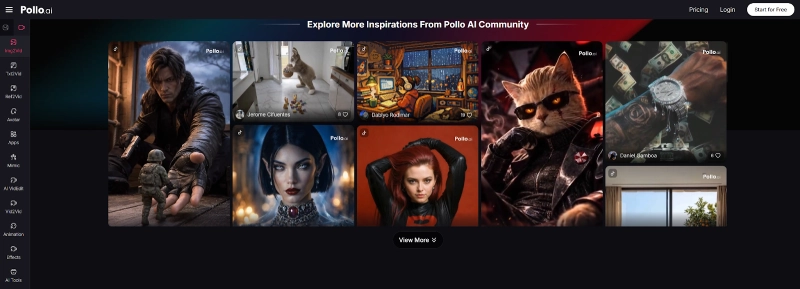
Before testing complex prompts on multiple platforms, getting your structure right on a focused image to video workflow like Pollo AI helps establish a reliable baseline. Short generation loops, multiple models, and fast iteration make it an efficient place to learn what your prompt language is actually producing.
For a broader comparison, Photo to Video offers a multi-model workspace with free credits and no subscription. It’s a practical option when you want to test different AI engines using the same still image.
The Five-Component Prompt Framework
Most bad prompts share the same structural flaw: they describe the scene instead of the action. A well-structured image-to-video prompt has five components:
| Component | What It Controls | Example |
| Subject + action | Who or what moves, and how | “coffee cup stationary, steam rising” |
| Camera move | Named direction and speed | “slow dolly push toward the cup” |
| Mood/atmosphere | Lighting, color temperature, tone | “warm morning light from upper left” |
| Pace | How motion unfolds over clip duration | “slow ease-in, hold at close-up” |
| Negative constraint | What must not happen | “no camera cut, no background drift” |
Building every prompt from this framework — before worrying about anything else — is the single highest-leverage change most creators can make.
Step 1 — Define Who or What Is Moving, Precisely
This seems obvious but is almost always skipped. If your image contains a person, is the person moving, or only the camera? If it’s a product, does the product rotate, or does the camera circle it? The distinction matters enormously for output stability.
- Less clear: a coffee cup in a café
- More clear: coffee cup stationary on table, camera slow push toward the cup, steam rising from surface
The second version tells the model that the cup doesn’t move, only the camera does — and that there’s a specific atmospheric element (steam) to animate. This produces a far more controlled output.
Step 2 — Specify the Camera Move by Name, Not by Adjective
“Cinematic” appears in thousands of prompts and means nothing specific. “Slow dolly push from wide to medium close-up” is a camera instruction. Use the vocabulary that actual cinematographers use:
| Vague | Specific |
| Cinematic | Slow dolly push |
| Moving | Orbit right at medium speed |
| Dynamic | Quick tilt-up from ground level |
| Atmospheric | Hold on wide shot, slight handheld drift |
This vocabulary works in any image-to-video tool. Once you start using it in Pollo AI prompts, the difference in output consistency is immediate.
Step 3 — Add Lighting and Mood Constraints
Lighting is the variable most users omit and the one that most affects perceived quality. Specify:
- Direction: “light from upper left”
- Quality: “soft diffused light” vs. “hard directional shadow”
- Color temperature: “warm golden, approximately 3200K” vs. “cool daylight”
- Atmosphere: “slight haze in background,” “dust particles in foreground light”
These constraints anchor the model’s interpretation of the scene and reduce the chance that lighting shifts inconsistently across frames.
Step 4 — Use Negative Constraints to Reduce Artifacts
Negative prompting — explicitly stating what you don’t want — is a standard technique in image generation that translates equally well to video prompts. Common useful negatives:
- no facial morph, no teeth distortion
- no background warp or color shift
- no camera cut or scene transition
- no excessive motion blur
- subject does not leave frame
Tools with dedicated negative prompt fields make this easy. For tools that don’t, append your negatives to the end of the main prompt with a clear separator.
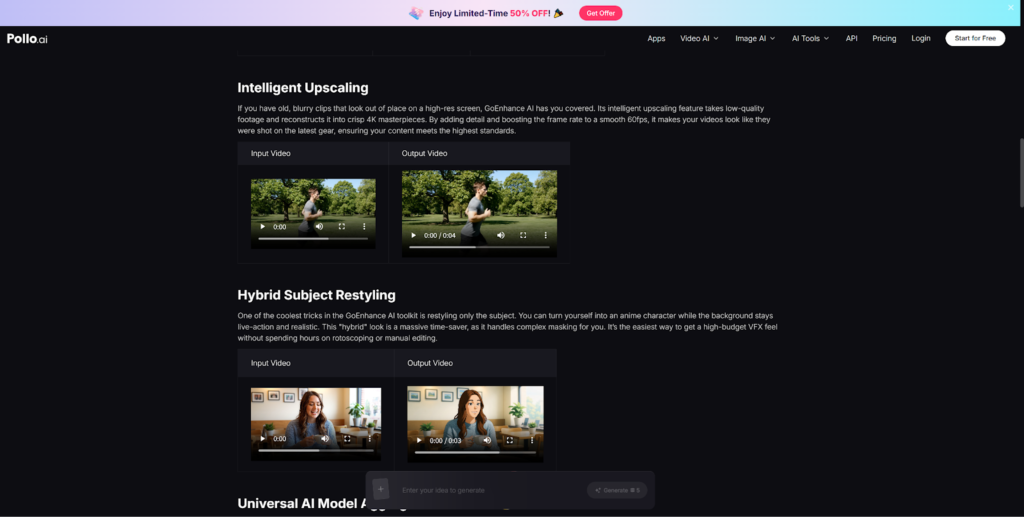
The GoEnhance AI motion control workflow provides a useful reference for how negative prompting and motion reference approaches interact — worth reviewing if you want to go deeper on artifact suppression.
Step 5 — Iterate in Small Steps, Not Big Rewrites
The most effective prompt development strategy is not to write a perfect prompt on the first try. Change one variable at a time:
- Start with a minimal prompt — camera move only — and evaluate the output
- Add lighting
- Add pace
- Add negative constraints
Writing everything at once and regenerating from scratch when something looks wrong makes it nearly impossible to identify which element caused the problem. A small-step approach to prompt refinement in Pollo AI will surface patterns much faster.
Prompt Checklist
Before submitting any image-to-video prompt, run through this list:
- Have I named a specific camera move (not just “cinematic” or “dynamic”)?
- Have I specified what the subject does vs. what the camera does?
- Have I included a lighting direction and quality?
- Have I set a pace (slow / medium / fast)?
- Have I added at least one negative constraint?
- Is the prompt under 60–80 words? (Longer prompts often produce less coherent results)
Closing Thought
Good prompts are not about writing more — they’re about writing more precisely. Structured, specific, and constrained prompts produce controlled motion; vague, adjective-heavy prompts produce the model’s best guess. Learning to write prompts with Pollo AI as your test environment gives you a skill that transfers directly to every other image-to-video tool you’ll ever use.