

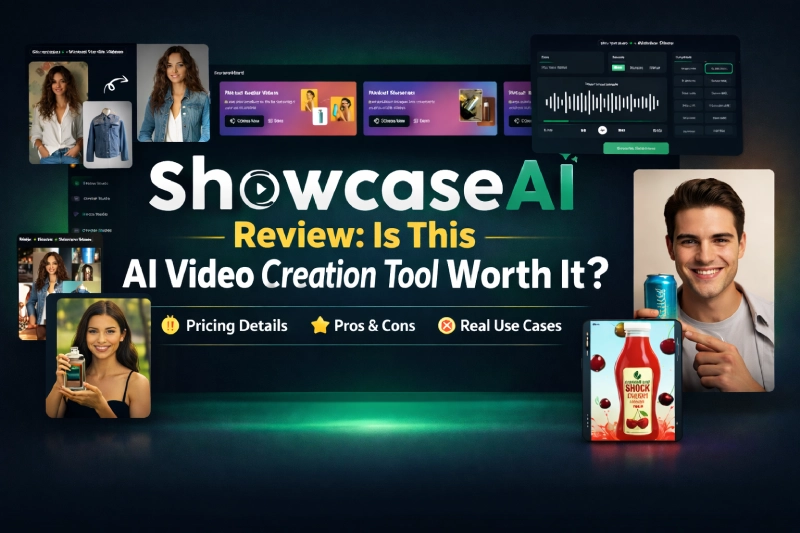
AI video tools are everywhere, and most promise studio-quality results with minimal effort. The problem is that many of them look good in demos but fall short when used for real marketing, ads, or ecommerce content.
This ShowcaseAI review breaks down what the tool actually offers, including pricing, real pros and cons, and who it’s best suited for before you buy. I looked closely at the features, positioning, and limitations to see whether ShowcaseAI is genuinely useful or just another AI video platform adding noise to the market.
If you want to check the current pricing and launch bonuses, you can find the official details here.
Curious about the current pricing and bonuses?
If you’re considering ShowcaseAI and want to see what’s included at launch, you can check the current price and available bonuses here.
Check Current Price & BonusesWhat Is ShowcaseAI?
ShowcaseAI is an all-in-one AI-powered video creation platform designed to turn static visuals into dynamic, human-style videos.
At its core, the tool takes simple inputs like photos, product images, or apparel visuals and converts them into:
- Talking avatar videos
- Product demo videos with AI presenters
- Cinematic product showcase clips
- AI-generated ad videos
- Virtual try-on videos for fashion and accessories
The main promise is speed without complexity. You upload an image, add text or a script, choose a style, and the platform handles avatars, voice, motion, and rendering.
What’s important here is positioning. ShowcaseAI isn’t marketed as a single-purpose tool. It’s positioned as a compact AI video studio, covering multiple formats that marketers and sellers actually use.
That places it in the same broader space as tools like Synthesia or HeyGen, but with heavier emphasis on product visuals and virtual try-ons rather than corporate talking-head content.
Key Features of ShowcaseAI
Rather than listing features for the sake of it, I’ll explain why each one matters in real-world use.
Talking Avatar Videos
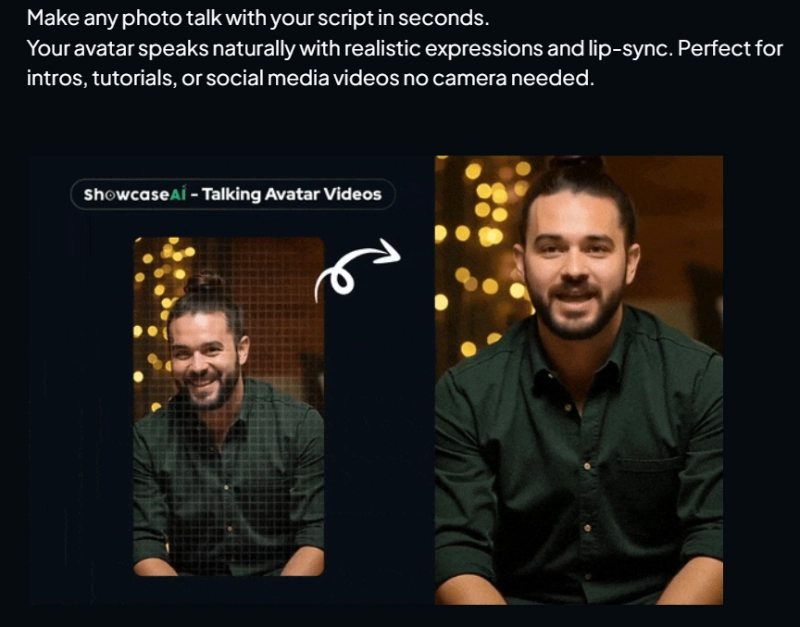
This is one of the main attractions. You can upload a single photo and turn it into a speaking avatar with realistic lip sync and facial expressions.
Why this matters:
- No camera setup
- No on-screen confidence required
- Works well for intros, short explainers, and social clips
For marketers who hate being on camera but still want a human presence, this solves a real problem.
Product Avatar Videos
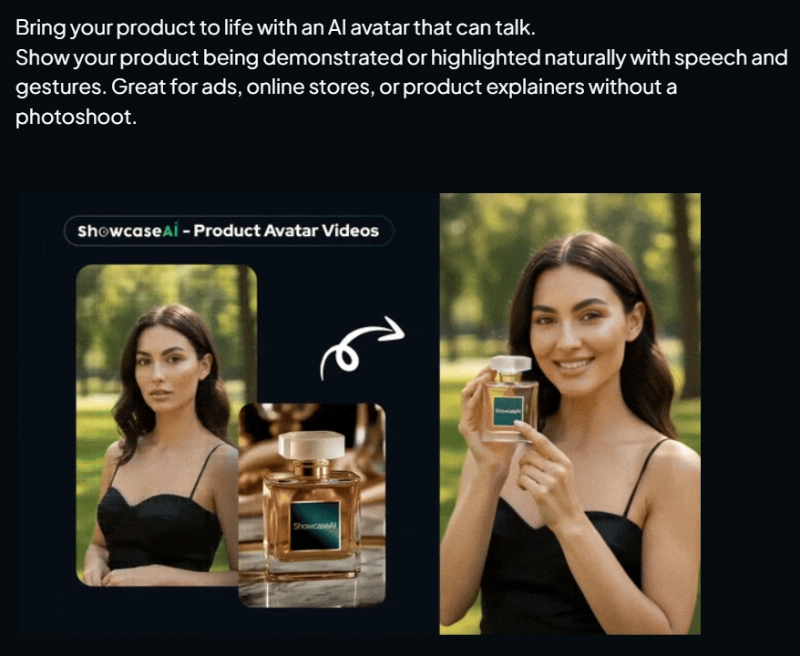
This feature lets AI avatars present or explain a product naturally.
Instead of showing static images with text overlays, the avatar speaks about the product while gestures and movement add realism. This is especially useful for:
- Ecommerce product pages
- Ad creatives
- Simple product walkthroughs
It’s a step up from slideshow-style videos that feel obviously automated.
Cinematic Product Showcase Videos
This is where ShowcaseAI tries to separate itself from basic video generators.
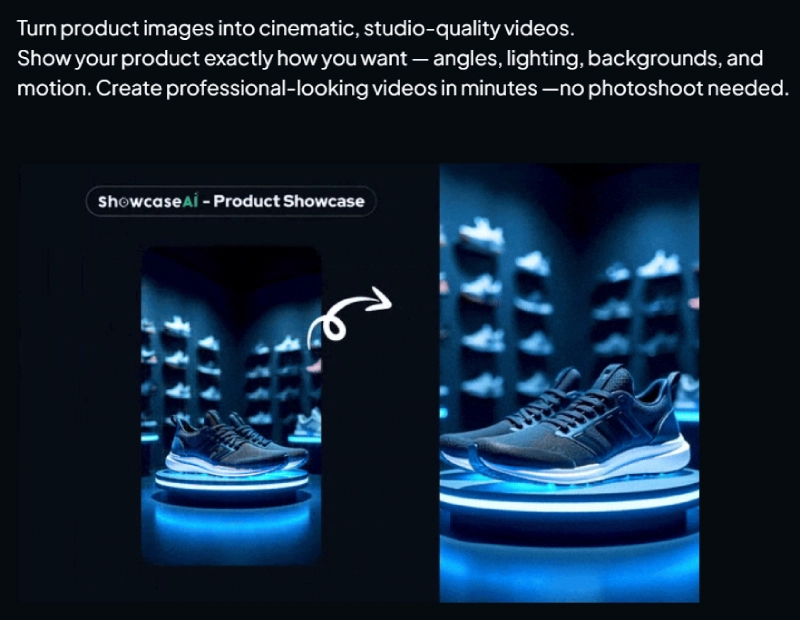
You can turn product images into motion-based, cinematic-style videos with controlled angles, lighting, and backgrounds. The idea is to replicate a studio shoot without actually doing one.
For online stores or digital products, this can help make listings and ads look more premium, assuming the input images are decent.
AI Ad Video Creation
ShowcaseAI also focuses heavily on ad-style videos.
The platform can generate scripts, match them with AI voices, and pair them with avatars or visuals that feel closer to a real ad shoot than a generic template.
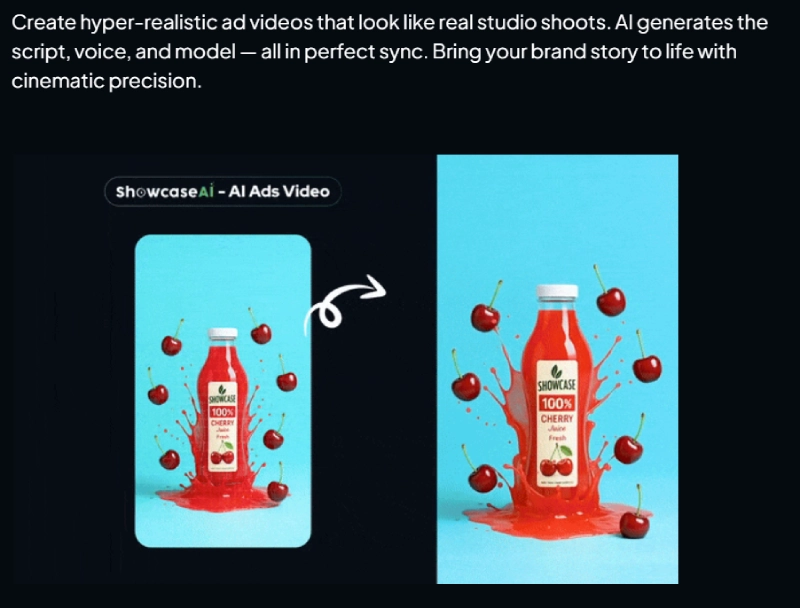
This is clearly aimed at:
- Paid ads
- Social media promotions
- Short-form video platforms
If you’re already running ads, this feature has more value than if you’re just creating content for fun.
Virtual Try-On Videos and Images
This feature targets fashion and accessory brands.
You can take clothing visuals and apply them to moving models or avatars so the product appears worn naturally. This isn’t perfect tech, but it’s a growing area where even small improvements can boost conversions for apparel sellers.
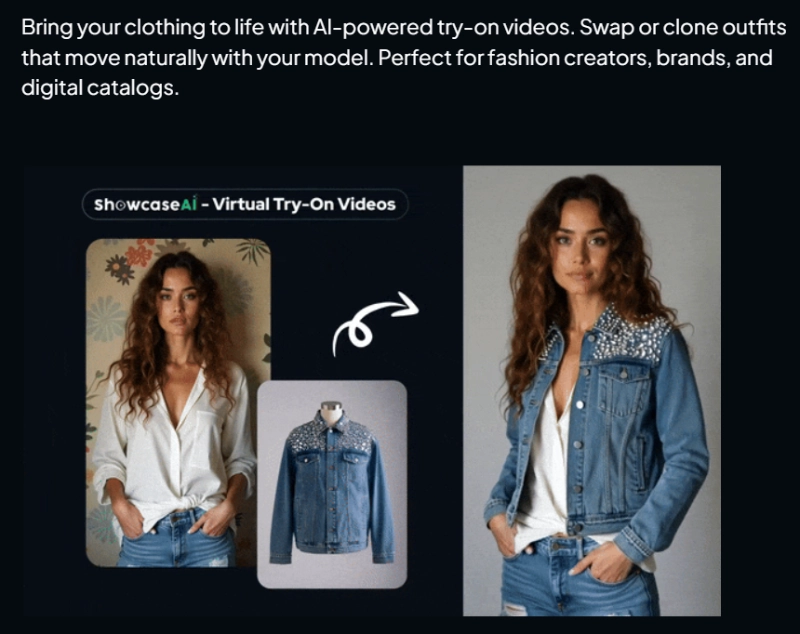
For fashion creators, this alone could justify testing the platform.
AI Voice Cloning
ShowcaseAI includes voice cloning so avatars can speak in your own voice.
This is useful if:
- You want brand consistency
- You don’t want random AI voices across videos
- You plan to publish content regularly
Voice cloning isn’t unique to this tool, but it’s good to see it included rather than locked behind a separate upgrade.
If you want to see how all these features are packaged in the current deal, you can check the offer details here.
Want to create AI videos without filming or editing?
If ShowcaseAI fits your goal of turning photos or products into talking avatars, ads, or demo videos fast, you can check the current pricing and bonuses below.
See What’s Included in ShowcaseAIHow Does ShowcaseAI Work?
The workflow is fairly straightforward, which is important for the audience this tool targets.
Here’s how it generally works:
- Upload an image or product photo
- Choose the type of video you want to create
- Add a script or let the AI generate one
- Select voice, avatar style, background, and language
- Render and download the video
Most of the complexity happens behind the scenes. You’re not dealing with timelines, layers, or editing tracks. That’s intentional.
From an affiliate and marketer’s perspective, this matters because tools with steep learning curves usually have lower retention and higher refund rates. ShowcaseAI is clearly designed to minimize friction.
It also supports multilingual video creation, which expands use cases for global campaigns without needing separate tools.
The main limitation to understand is that results depend heavily on input quality. Clear images and realistic expectations lead to better outputs. This is not magic software that fixes bad assets automatically.
Who Is ShowcaseAI Best For?
After going through the features and funnel, ShowcaseAI is clearly built for a specific type of buyer. It is not a universal solution for everyone who touches video.
Here’s who I think will get the most value from it.
Good fit if you are:
- Affiliate marketers and media buyers
If you run ads or promote offers, the ability to generate ad-style videos without filming is a big plus. Talking avatars and product demos can shorten creative turnaround time. - Ecommerce sellers and dropshippers
Especially useful if you sell physical products and want something more engaging than static images. The product showcase and avatar-led demos make listings feel more premium. - Content creators who avoid cameras
Not everyone wants to record themselves. ShowcaseAI gives you a human presence without being on camera, which removes a big mental barrier for many creators. - Agencies offering video as an add-on
The agency upgrades are clearly designed for resellers who want to create videos for clients without building a production workflow. - Fashion brands experimenting with virtual try-ons
This is not Hollywood-level tech, but for catalogs, ads, and previews, it can be useful if expectations are realistic.
Not ideal if you are:
- A professional video editor who wants full creative control
- Someone expecting perfect realism from low-quality images
- Looking for long-form YouTube documentary-style editing
- On a very tight budget with no immediate use case
This tool is about speed, automation, and practicality. If you enjoy manual editing or already have a polished filming setup, ShowcaseAI may feel limiting.
Pricing and OTO Breakdown
Let’s talk numbers. This matters because ShowcaseAI uses a typical JVZoo funnel structure, and understanding it upfront avoids surprises.
Frontend Offer
- ShowcaseAI Frontend: $47
This is where most users start. You get access to the core AI video creation features including avatars, product videos, and basic rendering.
For many solo marketers, the frontend alone is enough to test the platform properly.
OTO 1: Pro Upgrade
- Price: $67
This usually unlocks higher limits, more styles, and advanced features. If you plan to use the tool regularly, this upgrade makes sense.
OTO 2: Agency License
- Agency: $27 per month
- Agency Plus: $97 one-time
This is aimed at people who want to create videos for clients. The monthly option makes sense for agencies with recurring work. The one-time option is better long term if you already have clients lined up.
OTO 3: Traffic Suite
- Price: $47
This is more of a bonus-style upgrade. It may be useful, but it is not essential to using ShowcaseAI effectively.
OTO 4: AI Mastery
- Price: $997
This is a high-ticket add-on. It is only worth considering if you are deeply invested in AI workflows and education. Most users can skip this without losing core value.
OTO 5: DFY Packages
- DFY Gold: $297
- DFY Elite: $497
- DFY Platinum: $997
These are done-for-you options. They are convenience-focused and make sense only if you want results without setup time.
Bundle Options
- Bundle Deal: $347
- Mega Bundle Order Bump: $97
Bundles are usually pitched for affiliates and power users. For beginners, starting with the frontend and Pro upgrade is the safer route.
Pros and Cons
No tool is perfect. Here’s the balanced view.
Pros
- Very beginner-friendly workflow
- Multiple video formats in one platform
- Strong use cases for ads and product demos
- No filming or editing required
- Multilingual video creation support
- Voice cloning adds brand consistency
Cons
- Output quality depends heavily on input images
- Not a replacement for professional video editing
- Some upgrades feel expensive for casual users
- Virtual try-on tech is still evolving
Verdict: Is ShowcaseAI Worth It?
This is where honesty matters.
ShowcaseAI is not a magic button that creates Hollywood-level videos from nothing. But that is not what it is trying to be.
What it does well is remove friction.
If you need videos quickly, do not want to be on camera, and want something that looks more engaging than slideshows or stock footage, this tool fills that gap nicely.
Compared to similar AI video creators, ShowcaseAI focuses more on product presentation and ad-style videos rather than just talking-head corporate content. That makes it more attractive for marketers and sellers.
If you go in with realistic expectations and a clear use case, it can be worth the investment.
If you want to check the current deal before the final takeaway, you can see it here.
Final Verdict
This ShowcaseAI Review comes down to intent.
If you want fast, automated, human-style videos for marketing, ecommerce, or client work without filming or editing, ShowcaseAI does what it promises. It is practical, accessible, and clearly designed for non-technical users.
If you are expecting total creative freedom or cinematic perfection, this is not the right tool.
For the right buyer, ShowcaseAI can save time, reduce costs, and simplify video creation in a very crowded AI market.
Ready to try ShowcaseAI for yourself?
If ShowcaseAI matches your workflow and you want access to the full platform along with the launch bonuses, you can get started below.
Get ShowcaseAI Now + BonusesFAQs
What is ShowcaseAI used for?
ShowcaseAI is used to create AI-powered videos from photos and product images. It supports talking avatars, product demos, ad-style videos, and virtual try-ons without filming or editing.
Is ShowcaseAI beginner-friendly?
Yes. The platform is designed for beginners. Most videos can be created by uploading an image, adding text, and choosing a style.
Can ShowcaseAI replace professional video editing?
No. It is not meant to replace professional editors. It is built for speed and automation rather than detailed manual control.
Does ShowcaseAI work for affiliate marketing?
Yes. Many features are well suited for affiliate ads, product demos, and promotional videos, especially for short-form platforms.
Is there a commercial license?
Yes. ShowcaseAI is built for creators, brands, and businesses, and can be used for commercial projects depending on the license tier you choose.
