

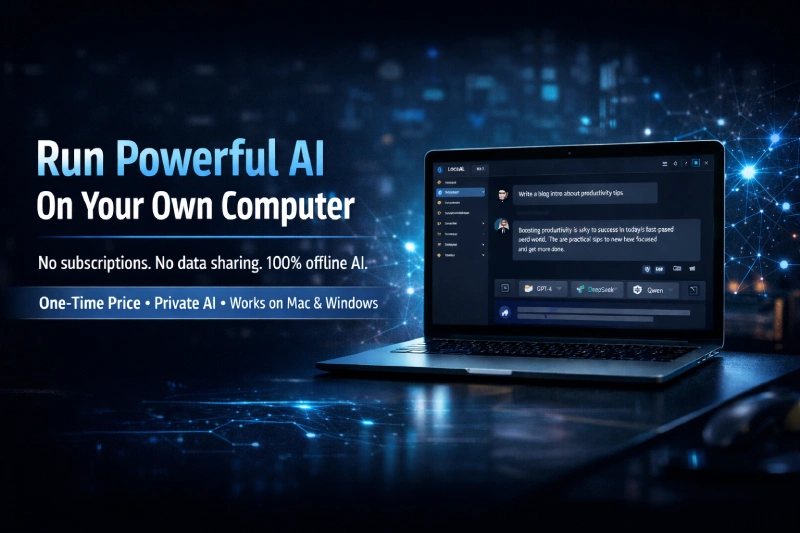
Most cloud AI tools charge you monthly, track your data, and can suspend your account without warning. ChatGPT, Claude, Gemini — they’re powerful, but you don’t own any of it. You’re renting intelligence on someone else’s terms.
Local AI claims to change that entirely — install once, run powerful AI models directly on your Mac or Windows computer, no internet required.
Bold claim. Let’s see if it holds up.
I dug into everything — the features, the actual technology behind it, the pricing, and who this genuinely makes sense for.
Want to run powerful AI privately on your own computer?
Local AI lets you install and use AI models offline — no subscriptions, no data sharing, one-time price.
👉Get Local AI Now + BonusesWhat Is Local AI?
Local AI is a one-time purchase software product created by Udhabb Pramanik of Insource Apps. It’s designed to let everyday users — marketers, freelancers, consultants, agency owners — install and run open-source AI models like DeepSeek, Qwen, and Gemma-type models directly on their own computers.
No cloud. No API keys. No monthly fees.
The core idea is simple: instead of depending on platforms like ChatGPT or Claude that can restrict your account, change pricing overnight, or go down during critical work hours, you run your own private AI environment locally.
Here’s the thing — this concept isn’t entirely new. Tools like Ollama, LM Studio, and Jan.ai have been doing this for the developer community for a while. What Local AI by Udhabb Pramanik is doing is packaging that same capability into a beginner-friendly, step-by-step system targeted at non-technical marketers and business owners.
In their disclaimer, they openly acknowledge using Ollama as the underlying technology. That’s actually a point in their favor — Ollama is a solid, well-regarded open-source project. The value here is in the training, the packaging, and the setup guidance — not some proprietary AI engine they built from scratch.
Key Features of Local AI
Let me break down what you’re actually getting inside:
Private Self-Hosted AI Engine Run GPT-style, DeepSeek, Qwen, and Gemma-type models directly on your machine. Your prompts, files, and conversations stay entirely on your hardware. Nothing is uploaded to external servers.
100% Offline Capability After the initial model download, everything runs without internet. Airplane mode, remote location, no Wi-Fi — doesn’t matter. Your AI still works.
No API Keys or Usage Charges Unlike tools that require you to connect your OpenAI API key and pay per token, Local AI runs entirely from your hardware. Your only limit is your computer’s RAM and processing power.
Multi-Model Support Switch between different AI models depending on the task — writing, coding, research, brainstorming. The system is expandable as new compatible models become available.
AI Content, Image & Video Planning The sales page mentions content creation, local image generation, and video script planning as part of the suite. These depend on which models you install and your hardware capability.
Local File Analysis Upload and work with your own documents privately — summarize, rewrite, or analyze without pushing files to any cloud server. This is genuinely useful for agencies handling sensitive client data.
Private Chat History Control All conversations are stored locally on your device. Delete them, back them up, or manage them however you want. No behavioral profiling on external servers.
Commercial Use Flexibility You can create content and assets for your own business or for clients. The sales page specifically mentions offering local AI setup services to businesses at $500–$1,000 per setup.
Step-By-Step Installation Training Beginner-friendly video walkthroughs are included. This is the real value-add over just downloading Ollama yourself — the guided setup removes the technical barrier for non-developers.
Like what you see so far?
Check the current launch price and everything included in Local AI before the offer changes.
👉 See What’s Included in Local AIHow Does Local AI Work?
The process is straightforward — three steps:
Step 1 — Install Download and install Local AI on your Windows or Mac. The training materials walk you through this without requiring technical skills.
Step 2 — Choose Your Model Select from supported AI models — DeepSeek, Qwen, Gemma-type, and others. Models are downloaded to your machine during setup. This is where you’ll need decent hardware and a decent internet connection initially — the model files themselves can range from 2GB to 10GB+ depending on what you choose.
Step 3 — Start Using It Once installed, you open the app and start working. No login screen. No server ping. Just your local AI responding directly from your hardware.
Under the hood, the system is built on Ollama — a proven open-source framework that makes running local LLMs manageable. Ollama handles the model serving layer, and Local AI wraps it with a user interface and guided training designed for non-technical users.
Now — let me be real about the hardware side, because the sales page glosses over this.
Running AI models locally is hardware-dependent. A smaller model like a 3B or 7B parameter model will run on most modern laptops. But if you want meaningful performance from larger models (13B+), you’ll need a machine with at least 16GB of RAM, and ideally a decent GPU. Don’t expect ChatGPT-level output on a 4-year-old budget laptop.
That said, for most marketing use cases — writing, brainstorming, summarizing documents, generating copy — a modern mid-range laptop with 8–16GB RAM handles the smaller models just fine. And as a way to run AI offline on your computer privately without paying monthly, it genuinely delivers on the core promise.
The private AI no monthly fee angle is where this product stands out most clearly. You pay once. The AI runs indefinitely on your hardware. There are no recurring costs after purchase unless you opt into the OTO upgrade.
Who Is Local AI Best For?
This isn’t a tool for everyone. Let me be direct about that.
Local AI makes the most sense for:
- Freelancers and consultants handling sensitive client data who don’t want that information sitting on OpenAI’s or Anthropic’s servers
- Agency owners who want to offer local AI setup as a premium service to local businesses — the $500–$1,000 per setup opportunity is realistic if you’re already doing tech services
- Content marketers who use AI daily and are genuinely tired of subscription stacking — if you’re paying for ChatGPT Plus, Claude Pro, and a handful of other tools, the private AI no monthly fee model is financially attractive
- Remote workers and travelers who frequently work in low-connectivity environments and need AI that functions offline reliably
- Privacy-conscious professionals — lawyers, accountants, healthcare consultants — who can’t afford to have client data processed on external servers
Who should NOT buy this:
If you’re a casual user who opens ChatGPT once a week, this is overkill. The free tiers of cloud AI tools are more than enough.
If your laptop is older or underpowered (less than 8GB RAM, older processor), you’ll hit performance limitations quickly. The experience won’t match what the sales page implies.
If you’re expecting the same output quality as GPT-4o or Claude Sonnet, you’ll be disappointed. Local open-source models are improving fast, but they’re not at that level yet — especially on consumer hardware.
And if you’re completely non-technical and unwilling to follow setup instructions carefully, the initial configuration could frustrate you — despite the training materials included.
Pricing and OTO Breakdown
Front-End: Local AI — $14.95 (One-Time)
This is the core product. You get lifetime access to the Local AI system, the installation training, multi-model support, offline capability, and commercial use flexibility. At $14.95, the entry price is genuinely low-risk.
OTO: Local AI Turbo Upgrade — $9.95 (One-Time, normally $197)
This upgrade is pitched to 98% of buyers according to the sales page. It includes PRO features, a new AI model delivered monthly, and 24/7 exclusive support.
Honestly, the support upgrade alone is worth considering. Setting up local AI for the first time can throw up unexpected issues depending on your system configuration — having dedicated support access removes that friction.
The monthly model delivery is interesting too. As new open-source models release, you’ll get curated additions rather than having to hunt them down yourself.
30-Day Money-Back Guarantee
Straightforward refund policy. If it doesn’t work on your system or doesn’t deliver what you expected, you can request a full refund within 30 days. No complicated process according to their terms.
Pros and Cons
Pros:
- Genuinely delivers on the core promise — run AI offline on your computer privately
- One-time price removes the subscription fatigue problem entirely
- Built on Ollama, a proven and well-regarded open-source framework
- Beginner-friendly training makes this accessible to non-developers
- Commercial use included — the local setup service opportunity is real
- 30-day money-back guarantee removes purchase risk
- No API keys, no usage limits, no account ban risk
Cons:
- Hardware dependent — older or low-spec machines will struggle with larger models
- Output quality won’t match GPT-4o or Claude on the same tasks — open-source models have limitations
- The sales page overpromises slightly on image and video generation capabilities — these depend heavily on which models your hardware can run
- Initial model downloads require good internet and storage space
- “Never-seen-before” claim on the sales page is marketing fluff — Ollama-based local AI setups exist across multiple platforms
Verdict: Is Local AI Worth It?
At $14.95 with a 30-day guarantee, the risk-to-reward ratio is very favorable.
Here’s my honest take: the underlying technology — Ollama plus open-source models — is legitimate and functional. Local AI by Udhabb Pramanik isn’t selling you snake oil. What they’re selling is packaged access to a real capability, combined with training that removes the setup barrier for non-technical users.
If you’ve been curious about running AI offline on your computer but found tools like LM Studio or Ollama too technical to set up, this gives you a structured path to get there.
The private AI no monthly fee benefit is real. If you’re currently spending $20–$100 per month on cloud AI subscriptions and privacy genuinely matters to your work, the math over 12 months makes this a no-brainer purchase.
The commercial angle — offering local AI setup services to businesses — is also a legitimate opportunity. Many small businesses and professional firms are actively looking for private AI solutions. If you already serve clients in a consulting or tech services capacity, this adds a high-value service you can monetize quickly.
Just go in with realistic expectations about hardware requirements and model quality. This won’t replace your cloud AI tools entirely overnight. Think of it as a powerful complement — your private, offline, zero-subscription AI environment for sensitive work and client projects.
Ready to stop paying monthly for AI tools?
Local AI gives you a private, offline AI environment for a single one-time fee. See current pricing below.
👉 Check Current Price & BonusesFinal Verdict
Local AI is worth buying if: you value data privacy, want to eliminate at least one monthly AI subscription, work in environments with unreliable internet, or want to offer local AI setup as a service to clients.
Skip it if: you’re on underpowered hardware, you’re a casual AI user, or you’re expecting output that rivals the top cloud models.
The $14.95 entry price with a 30-day guarantee makes this a low-risk experiment. Worst case, you learn how local AI works and get a refund. Best case, you build a private AI environment that saves you hundreds per year and opens a new service offering for your business.
Still on the fence? The 30-day guarantee removes all risk.
Try Local AI risk-free. If it doesn’t deliver, you get a full refund — no questions asked.
👉 Try Local AI Risk-Free TodayFAQs
Do I need technical skills to set up Local AI?
No. The included step-by-step video training is built for non-technical users. That said, you should be comfortable following instructions and troubleshooting basic setup steps.
What computer specs do I need?
A modern Mac or Windows machine with at least 8GB RAM will run smaller models adequately. For better performance and larger models, 16GB RAM or more is recommended. A dedicated GPU helps but isn’t required for basic use.
Does it work completely offline?
Yes — after the initial installation and model download, everything runs without internet. No server connection required.
Is this really a one-time payment?
The front-end product is a one-time fee. The Turbo OTO is also a one-time upgrade. No recurring subscriptions.
Can I use this for client work?
Yes. Commercial use is included. You can create content, analyze documents, and even offer local AI setup services to clients as a business service.
What AI models does it support?
DeepSeek, Qwen, Gemma-type models, and other compatible open-source models. New models can be added as they become available.
What if it doesn’t work on my system?
You’re covered by a 30-day money-back guarantee. Contact support and request a refund if the product doesn’t perform as expected on your setup.
