I’ve reviewed a lot of AI design tools over the last few years. Some are genuinely useful. Many are shiny wrappers around the same image models with different branding and pricing.
So when I first saw ImageBeast AI, I was skeptical for a very specific reason.
Any tool that claims to bundle 20+ AI design features into a single dashboard usually falls into one of two camps:
- It’s either wildly overcomplicated and half-baked
- Or it quietly replaces five to ten subscriptions you’re already paying for
After spending real time inside the platform, testing outputs, and digging through the upsells, this ImageBeast AI review is my honest take on where it actually lands.
Not hype. Not a pitch. Just what you should know before spending money.
What ImageBeast AI Is Actually Trying to Do
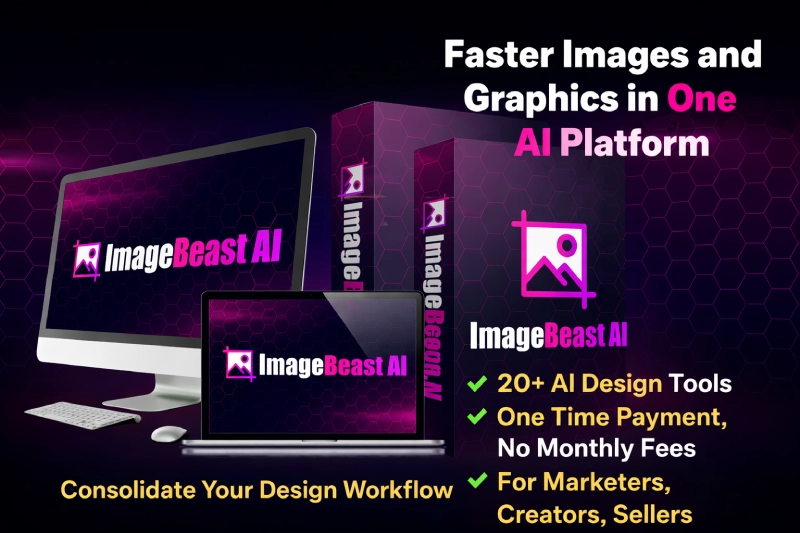
At its core, ImageBeast AI is positioning itself as an all-in-one AI design workspace.
Instead of jumping between separate tools for text-to-image, background removal, image editing, upscaling, variations, or even 3D-style visuals, everything runs from one dashboard.
The big promise is convenience.
- One login
- One interface
- Multiple AI engines under the hood
- One-time payment instead of monthly subscriptions
That last part is what will grab most people’s attention, especially designers and marketers already juggling tools like Canva, Midjourney, Photoshop alternatives, and various AI generators.
Want faster design output without juggling multiple AI tools?
If ImageBeast AI fits your workflow, you can check the current access and launch bonuses below.
YES, I Want ImageBeast AI + Lifetime AccessMy First Impressions After Logging In
The dashboard is clean. Not flashy. That’s a good thing.
You’re not hit with a maze of menus or confusing setup steps. Most tools are clearly labeled, and the workflow is straightforward even if you’re not deeply technical.
What stood out immediately:
- No API keys
- No setup rituals
- No “connect this before you can do anything” nonsense
You pick a tool, enter a prompt or upload an image, and generate.
That frictionless start matters more than people think.
The Core Tools I Actually Used
Rather than listing every feature again, I’ll focus on the ones I tested repeatedly.
AI Text to Image and Image to Image
This is the backbone of ImageBeast AI.
Prompt quality matters here, just like with any AI image generator. The outputs are solid, especially for:
- Marketing visuals
- Concept art
- Social media graphics
- Basic product mockups
It’s not trying to replace a professional illustrator. That’s fine. Most users don’t need that.
Ghibli-Style and Artistic Variations
This is clearly built for creators who want stylized visuals fast.
Results are hit or miss depending on the input image, but when it works, it works well. I wouldn’t rely on it for commercial illustration projects, but for content, thumbnails, and creative experiments, it’s fun and usable.
Background Remover and Replacer
Surprisingly reliable.
I tested product shots, portraits, and messy backgrounds. Edge detection was decent, especially compared to cheaper standalone background tools. It’s not Photoshop-level precision, but it’s more than good enough for ads and ecommerce visuals.
Upscaling, Extending, and Variations
These tools are where ImageBeast AI quietly saves time.
- Upscaling for older or low-quality images works well
- Extending images feels useful for banners and hero sections
- Variations help you iterate without starting from scratch
For marketers, this is practical value, not just novelty.
Where ImageBeast AI Makes Sense
This tool shines when speed and convenience matter more than perfection.
I’d say ImageBeast AI is a good fit for:
- Affiliate marketers creating banners and ad creatives
- Ecommerce sellers needing quick product visuals
- Social media managers producing daily content
- Freelancers who want breadth over deep specialization
- Agencies that need quick drafts before refinement
It’s less about artistic mastery and more about output velocity.
The Upsells and Pricing Reality
Let’s talk about the part most reviews dance around.
The front-end price is low. Around $17 when it launches. That gets you access, but limits exist.
Premium and Unlimited Editions
If you plan to use this regularly, the Unlimited edition is almost mandatory.
Without it:
- You’ll hit daily limits
- Usage feels capped
- Long-term value drops
With it:
- Unlimited generations
- Commercial license included
- No worrying about quotas
This is common in WarriorPlus launches, so it didn’t surprise me.
Agency, Reseller, and Whitelabel
These are clearly for a specific audience.
- Agency Edition makes sense if you plan to sell access
- Reseller and Whitelabel are only worth it if you already understand distribution and support
If you’re a solo creator, you can safely ignore most of these.
What ImageBeast AI Does Not Do Well
No tool is perfect, and this one has limits.
- It does not replace advanced photo retouching software
- It’s not ideal for hyper-realistic portraits every time
- Some AI styles feel similar across tools
- The sheer number of features can feel overwhelming initially
Also, if you hate funnels and upsells, this ecosystem may frustrate you. That’s just being honest.
Who This Tool Is Not For
ImageBeast AI is probably not a good fit if:
- You’re a professional illustrator with a refined workflow
- You only need one very specific AI function
- You dislike learning new dashboards
- You expect flawless outputs every single time
This is a utility platform, not a magic button.
My Final Verdict on ImageBeast AI
Here’s the simplest way I can put it.
ImageBeast AI is not revolutionary.
But it is practical.
It consolidates a lot of everyday AI design tasks into one place and removes subscription fatigue. If you value speed, flexibility, and cost control over absolute perfection, it does its job.
I’ve seen far worse “all-in-one” tools that overpromise and underdeliver. This one actually works, provided you understand what you’re buying.
If you’re already paying monthly for multiple basic design tools, ImageBeast AI can make financial sense. If you’re expecting it to replace a full creative suite, you’ll be disappointed.
As always, use the refund window to test it with your own workflows. That’s the only review that truly matters.
Want one AI design dashboard you can actually use every day?
Get ImageBeast AI Before Launch Pricing EndsFrequently Asked Questions
What is ImageBeast AI and how does it work?
ImageBeast AI is an all-in-one AI design toolkit that combines over 20 image and design tools into a single dashboard. You can generate, edit, enhance, and transform images using text prompts or existing visuals without installing software or connecting APIs.
Is ImageBeast AI suitable for beginners?
Yes. ImageBeast AI is beginner-friendly. The interface is simple, tools are clearly labeled, and you don’t need design experience, coding skills, or technical setup to start creating visuals.
Does ImageBeast AI replace tools like Photoshop or Canva?
Not completely. ImageBeast AI is designed for speed and automation, not deep manual editing. It’s best for marketers, creators, and businesses who want fast, AI-powered visuals rather than pixel-level control.
Is there a monthly subscription or hidden cost?
No. ImageBeast AI is sold as a one-time payment. However, some advanced features and unlimited usage require optional upgrades. There are no recurring monthly fees.
Can I use ImageBeast AI images for commercial projects?
Yes. ImageBeast AI includes a commercial license, allowing you to use generated images for client work, marketing materials, ads, websites, and other business purposes.
What are the main limitations of ImageBeast AI?
ImageBeast AI may not deliver perfect results every time, especially for highly detailed or hyper-realistic designs. Outputs depend on prompt quality, and some styles can feel similar across tools.
Is ImageBeast AI refundable if I don’t like it?
Yes. ImageBeast AI comes with a 30-day money-back guarantee. You can test the platform risk-free and request a refund if it doesn’t fit your workflow.